Table of Contents >> Show >> Hide
- What Is a CV, and Why Use a Microsoft Word Template?
- Where to Find Free CV Templates for Microsoft Word
- How to Choose the Right Free CV Template
- What to Include in a Strong CV Template
- How to Customize a Free Word CV Template Without Making It Weird
- Common Mistakes to Avoid With Free CV Templates
- Best Use Cases for Free Microsoft Word CV Templates
- Free CV Templates vs. Building One From Scratch
- Experiences With Free Curriculum Vitae (CV) Templates for Microsoft Word
- Conclusion
If job hunting had a dress code, your CV would be the outfit. And no, it cannot show up wearing wrinkled formatting, mystery fonts, and bullet points that look like they survived a software update from 2009. The good news is that free curriculum vitae templates for Microsoft Word make it much easier to build a polished, readable, professional document without hiring a designer or sacrificing your sanity.
Whether you are a student applying for graduate school, a researcher chasing academic roles, a professional moving into a new industry, or simply someone who wants their document to stop looking like a grocery list with dates, Word templates can save real time. A strong template gives you structure, visual balance, and a faster starting point. Even better, many free options work well with modern applicant tracking systems, which means your CV has a better chance of being read by both robots and humans. That is the dream team.
What Is a CV, and Why Use a Microsoft Word Template?
A curriculum vitae, or CV, is a document that presents your education, experience, skills, achievements, and, in some fields, publications, presentations, research, grants, licenses, and teaching history. In the United States, a CV is most often used for academic, medical, research, education, and fellowship applications. For many private-sector jobs, employers may say “CV” when they really mean “resume,” so knowing your audience matters.
That is exactly why Microsoft Word templates are useful. They give you a practical base that can be adapted either into a traditional academic CV or a resume-style CV for employers using the term loosely. Instead of wasting an afternoon nudging headings one millimeter to the left and then questioning all your life choices, you can start with a layout that already looks intentional.
Why Word Templates Still Work So Well
Microsoft Word remains one of the most common tools for creating job application documents. It is familiar, widely accepted, easy to edit, and convenient for saving as both .docx and PDF. Free Word CV templates are especially appealing because they let job seekers focus on content instead of design drama. You can swap in your own experience, adjust sections, and tailor the document for each role without rebuilding everything from scratch.
Where to Find Free CV Templates for Microsoft Word
If you want a quick and reliable starting point, begin with Microsoft’s own template library. Word also lets users search for resume templates directly from the application, which is helpful when you want something fast and editable. Beyond Microsoft, many career websites offer downloadable Word-friendly templates designed for different industries, experience levels, and formatting preferences.
The best free CV templates usually fall into a few broad categories:
1. Traditional Templates
These are clean, straightforward, and professional. They typically use a single-column layout, clear section headings, and conservative styling. They are ideal for corporate roles, internships, government jobs, and any position where readability matters more than visual flair.
2. Modern Templates
Modern templates use subtle color, refined spacing, and slightly more personality. They can work well for marketing, communications, project management, or business roles, as long as they remain easy to scan. Think “organized professional,” not “graphic designer trapped in a fireworks factory.”
3. Academic CV Templates
Academic CV templates leave room for detailed sections such as research experience, teaching, grants, conference presentations, publications, honors, and professional affiliations. These are usually less concerned with fitting everything onto one page and more focused on logical structure and thorough documentation.
4. Functional or Skills-Based Templates
These templates highlight skills before work history. They can be useful for career changers, recent graduates, or job seekers with nontraditional experience. Still, use them with care. Some recruiters prefer chronological history because it is easier to follow.
5. Combination Templates
A combination format blends a strong skills summary with a reverse-chronological work history. This is often the sweet spot for people who have solid experience but also want to spotlight transferable skills, technical strengths, or specialized expertise.
How to Choose the Right Free CV Template
Not every pretty template is a good template. Some are attractive in the same way a glitter-covered toaster is attractive: interesting for about six seconds, then immediately impractical. When choosing a free Microsoft Word CV template, focus on function first.
Prioritize Readability
The best template is one that a hiring manager can scan in seconds. Use a design with clear headings, consistent spacing, and enough white space to keep the page from looking crowded. If the layout makes your eyes tired, it will probably make a recruiter grumpy too.
Keep It ATS-Friendly
Many employers use applicant tracking systems to scan resumes and CVs. Templates overloaded with text boxes, graphics, unusual icons, tables, or multiple columns can sometimes create parsing problems. A simple structure with standard headings like Education, Experience, Skills, and Publications is usually the safer choice.
Match the Template to Your Industry
An academic researcher and a sales manager do not need the same document structure. If you are applying for a university post, choose a template that supports detailed scholarly sections. If you are applying for a business role, pick something tighter and more achievement-driven.
Choose a Template You Can Actually Edit
Some free templates look wonderful until you try to change one date and the entire page collapses like a folding chair at a family barbecue. Pick a Word template with manageable formatting, standard fonts, and flexible spacing so you can update it easily as your career evolves.
What to Include in a Strong CV Template
Once you have the template, the real work begins. A good layout cannot rescue weak content, just like a fancy plate cannot save burned toast. Your CV still needs the right sections and clear writing.
Core Sections for Most CVs
- Contact Information: Full name, phone number, professional email, city and state, and relevant links such as LinkedIn or portfolio.
- Professional Summary or Profile: A brief introduction tailored to your target role.
- Education: Degrees, institutions, graduation dates, honors, and relevant coursework if helpful.
- Experience: Jobs, internships, assistantships, freelance work, or research roles with accomplishment-focused bullet points.
- Skills: Technical tools, languages, certifications, and specialized abilities.
Additional Sections for Academic or Specialized CVs
- Research experience
- Teaching experience
- Publications
- Presentations and conferences
- Grants, fellowships, and awards
- Professional affiliations
- Licenses and certifications
The beauty of free CV templates for Microsoft Word is that you can add, remove, or rearrange these sections based on your goals. A template should support your story, not boss it around.
How to Customize a Free Word CV Template Without Making It Weird
Templates are starting points, not sacred relics. Once you download one, customize it thoughtfully.
Use a Professional Font
Stick with readable fonts like Calibri, Arial, Georgia, Cambria, or Times New Roman. This is not the moment for decorative script fonts that look like they belong on a wedding invitation or a haunted bakery.
Write Strong, Specific Bullet Points
Each bullet should show impact, not just duties. Compare these:
Weak: Responsible for managing social media accounts.
Better: Managed three social media channels and increased engagement by 42% in six months through targeted content planning.
Tailor Keywords to the Job
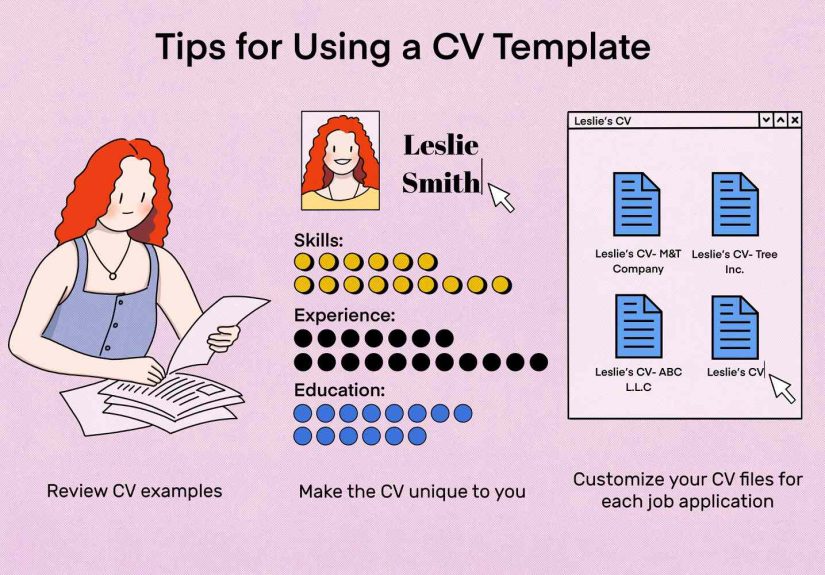
Review the job description and naturally include relevant skills, software, credentials, and action verbs. This improves clarity for both recruiters and ATS software. The goal is alignment, not keyword stuffing. You are building relevance, not playing résumé bingo.
Adjust Section Order Based on Strength
If your education is your strongest asset, move it higher. If your experience is more impressive, let that lead. If publications matter, feature them prominently. Good templates make reordering easy, and smart reordering can improve first impressions.
Common Mistakes to Avoid With Free CV Templates
Free templates are helpful, but they can tempt people into avoidable mistakes.
Leaving Placeholder Text Behind
Nothing says “I rushed this” quite like submitting a CV that still says Insert job title here. Review every line. Then review it again like your future paycheck depends on it, because, well, it kind of does.
Overdesigning the Document
A little color is fine. A tasteful heading line is fine. Five shades of teal, a sidebar packed with icons, and a giant personal logo? That may be a little much unless you are applying to become the official ambassador of graphic turbulence.
Using Dense Paragraphs
Recruiters skim. Faculty committees skim. Everyone skims. Use short paragraphs, bullets, and clean section breaks so important information is easy to find.
Forgetting File Naming and Format
Once your CV is ready, save it with a professional filename like FirstName_LastName_CV or FirstName_LastName_Resume. Keep an editable Word version and export a PDF when appropriate so your formatting stays intact.
Best Use Cases for Free Microsoft Word CV Templates
Word CV templates are especially useful when you need to move quickly while still looking polished. Here are some common situations where they shine:
- Students and recent graduates: Templates help organize limited experience in a professional way.
- Academic applicants: Detailed CV templates make room for publications, teaching, and research.
- Career changers: Combination templates help emphasize transferable skills.
- Busy professionals: A strong template speeds up updates for multiple applications.
- First-time applicants: Templates reduce formatting stress and provide a clear roadmap.
Free CV Templates vs. Building One From Scratch
Building a CV from scratch gives you maximum control, but it also gives you maximum opportunity to spend ninety minutes adjusting indents and wondering why your dates refuse to line up. Free Word templates save time, reduce formatting mistakes, and help create a more polished final product. For most people, that is the smarter route.
That said, a template is not a shortcut to quality. The winning combination is a good template plus tailored content plus careful proofreading. Think of the template as the frame, not the masterpiece itself.
Experiences With Free Curriculum Vitae (CV) Templates for Microsoft Word
One of the most common experiences job seekers describe with free Word CV templates is pure relief. The blank page is intimidating. It just sits there, quietly judging you. A template changes that immediately. Instead of asking, “Where do I even begin?” you start replacing sample text with your own details, and suddenly the task feels possible. That shift matters more than people think.
Students often have the strongest reaction. Many first-time applicants assume they do not have enough material for a professional document, but a well-structured template helps them see that coursework, internships, volunteer work, leadership roles, research projects, and campus activities can all be presented in a credible way. A simple Word template can turn scattered experiences into a document that actually looks like it belongs in a hiring manager’s inbox.
Career changers often report a different benefit: clarity. When your work history does not follow a neat, traditional path, the right template helps organize your story. A combination CV format can highlight relevant skills near the top, making it easier to show how experience from one field transfers into another. That alone can increase confidence, especially for applicants who worry their background looks “messy” when it is really just diverse.
Academic users tend to appreciate templates for another reason: space and logic. A true academic CV may include research, teaching, publications, conference presentations, grants, and service. Without a template, these sections can become chaotic fast. A good Microsoft Word CV template gives each category a home and makes it easier to expand the document over time. For graduate students and postdocs, that structure can be a lifesaver.
Of course, not every experience is perfect. Some free templates are so heavily designed that editing them feels like defusing a bomb with a butter knife. Move one line, and half the formatting decides to take the day off. Others look stylish but create trouble when applicants try to make them ATS-friendly. This is why many experienced job seekers eventually prefer cleaner Word templates over flashy ones. Practical usually wins.
Another very real experience is the temptation to overtrust the template. People sometimes assume that if the layout looks polished, the content must be strong too. Unfortunately, no template can magically turn vague bullet points into persuasive achievements. The most successful users treat the template as a tool, not a disguise. They revise wording, quantify results, tailor keywords, and check for consistency. That is where the real improvement happens.
In the end, the best experience with free curriculum vitae templates for Microsoft Word is not just saving time. It is gaining momentum. A strong template helps people move from procrastination to progress, from confusion to structure, and from “I should update my CV someday” to “I just sent an application today.” That is not a small difference. Sometimes a free template is not merely a document shortcut. It is the nudge that gets the whole job search rolling.
Conclusion
Free curriculum vitae templates for Microsoft Word are one of the easiest ways to create a polished, professional CV without spending money or reinventing page formatting from the ground up. The best templates are clean, editable, ATS-friendly, and appropriate for your field. They help you organize your experience, present your strengths clearly, and spend more time improving content instead of wrestling with margins.
If you choose a template wisely, customize it thoughtfully, and tailor it to each opportunity, your CV can look sharp, read smoothly, and make a stronger first impression. That is the real goal. Not to have the fanciest document in the pile, but to have one that makes a recruiter or hiring committee think, “Yes, this person is worth a closer look.” Which, in job search language, is practically a standing ovation.