Table of Contents >> Show >> Hide
- Quick Table of Contents
- Step 1: Pick the Right Closet (and Be Honest About It)
- Step 2: Measure First, Cry Less Later
- Step 3: Clear It Out (Without Starting a Family Feud)
- Step 4: Choose a Desk Setup That Fits Your Work Style
- Step 5: Cloffice Ergonomics: Small Space, Big Comfort
- Step 6: Lighting That Makes You Look Alive on Zoom
- Step 7: Airflow and Temperature (Because Closets Get Spicy)
- Step 8: Sound and Privacy (AKA Echo Management)
- Step 9: Power, Cables, and Safety
- Step 10: Storage That Doesn’t Eat Your Desk
- Step 11: Make It Pretty (Without Turning It Into a Shrine)
- Step 12: Video Call Setup: Background, Camera, Confidence
- Budget Tiers: What to Upgrade First
- Conclusion
- Bonus: Real-World Cloffice Experiences (Extra ~)
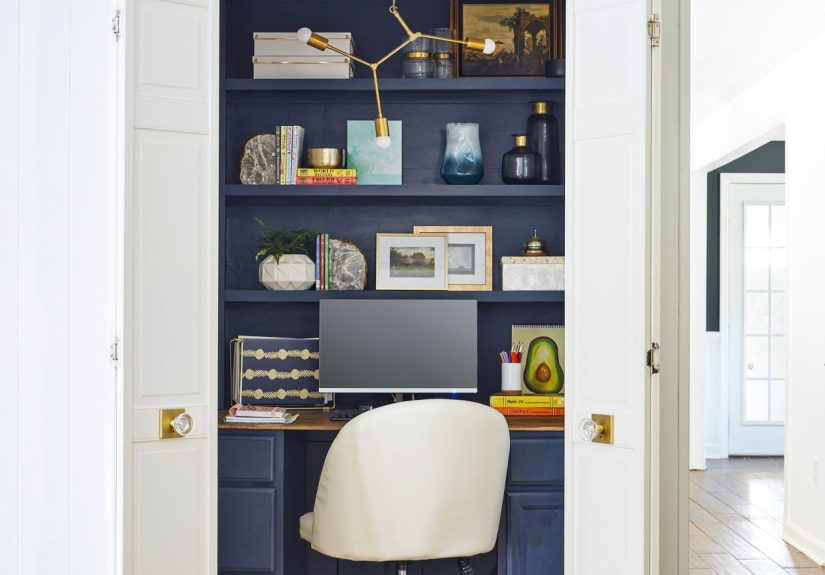
A cloffice (closet + office) is the work-from-home equivalent of turning leftovers into a five-star meal.
It’s efficient, surprisingly stylish, andwhen done rightway more comfortable than balancing a laptop on your knees
like you’re auditioning for a “Neck Pain Olympics.”
The magic of a closet office is simple: it gives you a dedicated workspace without stealing an entire room. The trick is making it
feel intentionalnot like you’re answering emails inside a coat storage unit.
This guide walks you through planning, ergonomics, lighting, airflow, sound, storage, and video-call polishso your tiny space
works like a big-league home office.
Quick Table of Contents
- Step 1: Pick the Right Closet (and Be Honest About It)
- Step 2: Measure First, Cry Less Later
- Step 3: Clear It Out (Without Starting a Family Feud)
- Step 4: Choose a Desk Setup That Fits Your Work Style
- Step 5: Cloffice Ergonomics: Small Space, Big Comfort
- Step 6: Lighting That Makes You Look Alive on Zoom
- Step 7: Airflow and Temperature (Because Closets Get Spicy)
- Step 8: Sound and Privacy (AKA Echo Management)
- Step 9: Power, Cables, and Safety
- Step 10: Storage That Doesn’t Eat Your Desk
- Step 11: Make It Pretty (Without Turning It Into a Shrine)
- Step 12: Video Call Setup: Background, Camera, Confidence
- Budget Tiers: What to Upgrade First
- Conclusion
- Bonus: Real-World Cloffice Experiences (Extra ~)
Step 1: Pick the Right Closet (and Be Honest About It)
Not every closet is cloffice material. The best candidates are:
- Reach-in closets (great for a floating desk and wall storage).
- Shallow spare closets (perfect for laptop work, admin tasks, and calls).
- Closets near natural light (your eyes and camera will thank you).
Closets that are usually not ideal: ones that are super damp, have poor airflow, are packed with must-keep storage,
or are in the loudest part of your home (hello, kitchen blender).
Ask yourself three questions
- Do I need a door? Doors add privacybut can trap heat and echo sound.
- Do I need clothes storage too? Hybrid “office + wardrobe” is possible, but you’ll need a plan.
- What kind of work happens here? Writing and calls need lighting + acoustics. Design work needs desk depth. Meetings need camera framing.
Step 2: Measure First, Cry Less Later
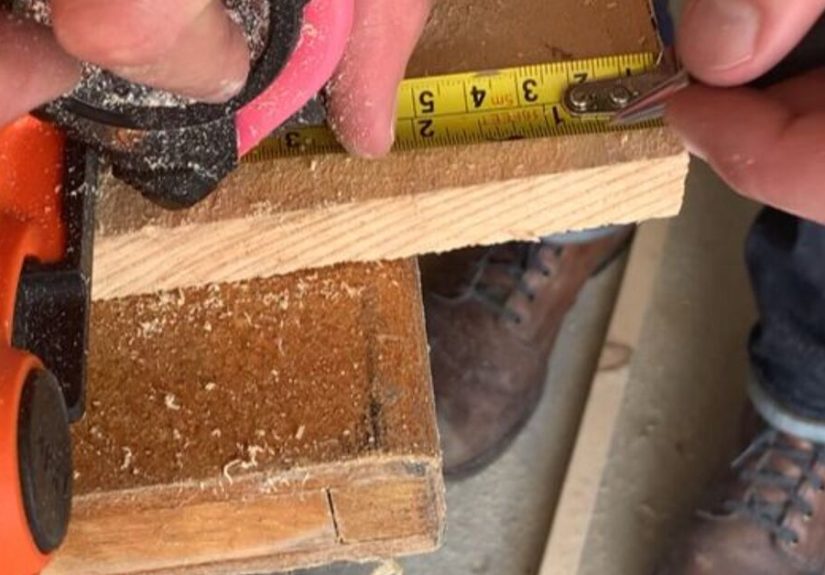
Your cloffice success depends on inches. Measure:
- Width (wall to wall)
- Depth (back wall to closet edge)
- Height (floor to shelf/rod to ceiling)
- Door swing clearance (if the door stays)
Desk depth rule of thumb
If you use a monitor, aim for a surface deep enough to keep the screen a comfortable distance away while leaving room for a keyboard and wrists.
If your closet is shallow, consider a monitor arm or wall-mounted monitor to reclaim desk space.
Step 3: Clear It Out (Without Starting a Family Feud)
Empty the closet completely. Yes, completely. This is how you discover the mystery lint ecosystem and the one missing sock that’s been living a double life.
Decide what stays in the cloffice zone
- Best to relocate: bulky coats, shoes, anything dusty, and anything that will fall onto your keyboard mid-email.
- Okay to keep (with control): a small capsule wardrobe, neatly contained bins, or a top shelf for infrequent items.
Pro tip: if you’re keeping clothes in the same closet, use matching bins and hangers. Visual chaos makes a small office feel even smaller.
Step 4: Choose a Desk Setup That Fits Your Work Style
Your desk is the cloffice’s foundation. Pick one that matches your tasks and your space.
Option A: Floating desk (best for tight closets)
- Clean, built-in look
- Maximizes floor space
- Pairs well with wall shelves and pegboards
Option B: Slim desk or console (best for renters)
- Easy to install and remove
- Works well with rolling file carts
- Less drilling, less drama
Option C: Built-in desktop with drawers (best for “I live here now” setups)
- Most storage and stability
- Can be customized to exact dimensions
- Great if you use heavier equipment
Step 5: Cloffice Ergonomics: Small Space, Big Comfort
A cloffice shouldn’t be a posture punishment. Ergonomics is about fitting your workstation to your body so you can work longer with less strain.
The good news: you don’t need fancy gearyou need smart alignment.
Monitor placement that saves your neck
- Keep the screen directly in front of youno twisting.
- Place the top of the monitor at or slightly below eye level.
- Keep your head neutral (ears over shoulders), not craned forward like a curious turtle.
Keyboard + mouse setup
- Elbows near your body, shoulders relaxed.
- Wrists straight (not bent up like you’re doing an impression of a flamingo).
- If your desk is too high, consider a keyboard tray or a slightly higher chair + footrest.
Chair reality check
In a closet office, chairs can be tricky. If a full-size chair doesn’t fit, try a compact task chair with support, or a chair that tucks fully under the desk.
Avoid perching on something that makes you hunchyour lower back will file a complaint.
Eye comfort matters too
If you’re staring at a screen all day, build in micro-breaks. One popular strategy is the 20-20-20 rule:
every 20 minutes, look at something 20 feet away for 20 seconds. Your eyes are not robots. Treat them kindly.
Step 6: Lighting That Makes You Look Alive on Zoom
Closet lighting is often… tragic. Many closets have a single bulb designed purely to help you pick a shirt, not lead a client presentation.
In a cloffice, you need two kinds of light: task lighting (for your work) and face lighting (for video calls).
Start with glare control
- Avoid placing a monitor where it reflects a window or bright overhead light.
- Use diffused light instead of bare bulbs.
- Matte finishes on the desktop reduce weird reflections during calls.
Upgrade with LED lighting
LEDs are efficient and run cooler than older bulbshelpful in a small closet office where heat builds up fast.
Choose a neutral-to-warm tone for comfort, and if color accuracy matters (design, product photos), look for higher color quality ratings.
Easy cloffice lighting ideas
- Plug-in wall sconces to free desk space
- Under-shelf LED strips for bright, even work light
- A small desk lamp with an adjustable arm
- A soft front light (small ring light or LED panel) placed behind/above your camera for video calls
Step 7: Airflow and Temperature (Because Closets Get Spicy)
A closed closet can heat up quicklyespecially with a computer, monitor, and lighting. If your cloffice feels like a toasted marshmallow after 30 minutes,
don’t ignore it. Comfort affects focus, and airflow affects everything from alertness to how well your tech performs.
Low-effort ventilation wins
- Keep the door open between calls if privacy allows.
- Use a fan to move air (even without a window, airflow helps).
- If there’s a nearby window, consider using a fan to push stale air outward and pull fresher air in.
If your cloffice is always hot
Consider swapping bulbs for cooler-running LEDs, reducing device clutter, and managing cable mess (cables can trap dust and block airflow).
If you’re doing a deeper remodel, talk to a professional about venting optionsespecially if you plan to work in the space for hours daily.
Step 8: Sound and Privacy (AKA Echo Management)
Closets can be surprisingly echo-y (hard walls, small box, door reflections). If you sound like you’re calling from inside a coffee mug, try:
Quick sound upgrades
- Add soft materials: a small rug, fabric bins, even a curtain can reduce reflections.
- Weatherstrip the door to reduce sound leaks (and some draft).
- Use headphones or a headset mic to reduce echo pickup and improve call clarity.
Privacy hacks that don’t ruin airflow
- Swap a solid door for a curtain if you can (or keep doors open and use a screen behind you).
- Use “background blur” and tidy framing to hide whatever’s outside the closet.
Step 9: Power, Cables, and Safety
Cloffices are small, which makes messy cables feel 10x messier. And because closets weren’t designed for office equipment, you need to think safely.
Power setup basics
- Use a quality surge protector for computer gear.
- Don’t overload outlets or daisy-chain extension cords.
- Keep cords visible and ventilatedavoid running them under rugs or pinching them in doors.
Heat + electricity = don’t get creative
Avoid using space heaters inside a tight closet office. Small enclosed spaces heat fast, and portable heaters increase fire risk if airflow is poor or cords are misused.
If you need warmth, warm the room outside the cloffice instead (or add a cozy layerfashion is safer than flames).
Cable management that actually works
- Mount a power strip under the desk so cords drop down neatly.
- Use adhesive cable clips along the desk edge to guide charging cables.
- Label cords (future you will feel spiritually healed).
- Bundle slack with Velcro ties, not permanent zip ties, so changes are painless.
Step 10: Storage That Doesn’t Eat Your Desk
In a closet office, vertical space is your best friend. Instead of piling up paper towers like you’re building a tiny skyline, use walls wisely.
Best vertical storage choices
- Floating shelves above monitor height (keep frequently used items within easy reach)
- Pegboards for headphones, cables, and tools
- Wall-mounted file pockets for active projects
- Drawer units or a rolling cart under the desk for supplies
One rule to prevent clutter creep
Give everything a “home.” If something doesn’t have a home, it will live on your desktop foreverlike an unwanted roommate who never pays rent.
Step 11: Make It Pretty (Without Turning It Into a Shrine)
A cloffice can be functional and still feel good to work in. A few design touches go a long way:
Small-space design wins
- Paint or wallpaper the back wall for depth and personality.
- Use lighter colors to keep the space open (or go bold if you want a dramatic “focus cave”).
- Add a pinboard for goals, calendars, or inspiration that keeps you on track.
- Bring one natural element (a small plant, wood texture, or natural fabric) to soften the boxy feel.
Keep décor purposeful. If every surface becomes “cute storage,” you’ll end up working inside a craft store display.
Step 12: Video Call Setup: Background, Camera, Confidence
The ultimate work-from-home setup isn’t just comfortableit also helps you look professional on camera.
Your cloffice can be a video-call powerhouse if you control three things: camera height, lighting direction, and background.
Camera placement
- Place the camera at or slightly above eye level.
- Center your face in the frame with a little headroom.
- If you’re using a laptop, a sturdy stand + external keyboard/mouse can instantly improve posture and framing.
Lighting for video calls
- Avoid sitting with a bright window behind you (backlighting makes you look like a witness in a documentary).
- Use a soft light in front of you or slightly off to the side.
- Keep lighting consistentmixed light sources can create strange color shifts on camera.
Background that won’t distract
- Keep it simple: one shelf, one plant, one clean walldone.
- Use built-in background blur or subtle effects if needed.
- Hide visual clutter at the edges of the framecamera angles love snitching.
Budget Tiers: What to Upgrade First
You don’t have to build the Taj Mahal of closet offices. Prioritize upgrades that improve comfort and productivity.
Budget (under $100–$200)
- LED desk lamp or under-shelf lighting
- Cable clips + Velcro ties
- Laptop stand + external keyboard/mouse (massive ergonomic upgrade)
- Small rug or curtain to reduce echo
Mid-range ($200–$600)
- Floating desk or slim desk upgrade
- Compact ergonomic chair
- Monitor arm to reclaim space
- Headset for clearer calls
Premium ($600+)
- Built-in desk + custom shelving
- Dedicated lighting plan (task + face lighting)
- Better acoustic control (panels, door sealing)
- Electrical improvements by a professional (if needed)
Conclusion
A cloffice works because it creates a boundary: when you step in, you’re “at work,” and when you step out, you get your home back.
The ultimate work-from-home setup isn’t about having the biggest spaceit’s about having the right space.
Nail the fundamentalsergonomics, lighting, airflow, and storageand your closet office will feel shockingly legit.
Add video-call polish and cable sanity, and you’ll have a tiny headquarters that keeps you focused, comfortable, and camera-ready.
(And yes, you can still store a sweater in there. We’re practical, not heartless.)
Bonus: Real-World Cloffice Experiences (Extra ~)
People who build a cloffice often have the same “first week” storyline: excitement, productivity, a smug sense of victory… then reality taps the doorframe.
Here are the most common cloffice experiencesplus what they teach youso you can skip the messy middle.
1) “Why is it so hot in here?”
The closet heats up fast. A laptop, a monitor, a charging brick, and a too-bright bulb can turn your cloffice into a tiny sauna.
Many people realize they’ve accidentally built a warm box only after their second meeting, when their forehead starts shining like a glazed donut.
The fix is rarely dramatic: swap to cooler LEDs, crack the door between calls, and use a small fan to move air.
If you can, aim airflow out of the closet rather than swirling warm air in place.
2) “My voice sounds like I’m calling from a bathtub.”
Closets aren’t automatically soundproof. They’re just small. Small + hard surfaces = echo.
The fastest improvement is adding soft materials: a rug, a curtain, fabric storage bins, even a padded chair.
Another common upgrade is using a headset mic, which reduces how much room sound your microphone captures.
The big lesson: you don’t need a recording studiojust fewer bare reflective surfaces.
3) The chair doesn’t fit… and suddenly nothing fits
In normal rooms, you can scoot back, roll around, stretch, and reposition. In a cloffice, your chair is either compatible or it becomes your enemy.
People often start with “whatever chair is available,” then discover it’s too wide, too tall, or bumps the door.
That’s when the ergonomic hacks come out: compact task chair, slimmer arms, a chair that tucks fully under the desk,
or a laptop stand + external keyboard so you can sit back properly instead of curling toward the screen.
4) “My desk became a junk magnet in 72 hours”
Cloffices are efficient, which also means clutter is highly visible. A couple of sticky notes, a charger, a pen cup, a snack wrapper,
and suddenly your workspace looks like a tiny crime scene.
The experience that changes everything: assigning “homes” to the small stuffone drawer for supplies, one bin for cables, one tray for active papers.
Once every object has a place, tidying takes two minutes, not a full emotional reset.
5) The video call angle betrayal
Many cloffice builders do their first big meeting and think, “Why do I look like I’m broadcasting from the floor?”
Laptops on desks often put the camera too low, and closet lighting can create harsh shadows.
The quick wins: lift the laptop/camera to eye level, place a soft light in front of your face, and avoid bright backlighting.
After that, people discover the final boss of video calls: background chaos.
A simple shelf, a clean wall, or built-in blur features can keep the focus on younot your laundry pile’s cameo appearance.
The overall takeaway: a cloffice is a small space that rewards small improvements. You don’t need a dramatic renovation.
You need thoughtful setupcomfort first, then light, then sound, then storage. Stack those wins, and your cloffice won’t feel like “the closet you work in.”
It’ll feel like your personal productivity headquarters (with excellent real estate efficiency).