Table of Contents >> Show >> Hide
- What user engagement software actually does (and why it’s not “pop-ups, but make it fancy”)
- So what is Userpilot?
- Core capabilities: what you can do with Userpilot
- 1) In-app experiences that feel native (when you design them like a grown-up)
- 2) Segmentation and targeting (because “everyone sees the same tour” is how churn is made)
- 3) Product analytics for adoption (so you can stop arguing and start measuring)
- 4) Feedback and surveys (NPS is not a personality trait)
- 5) In-app support with a Resource Center (aka: “help users help themselves”)
- 6) Operational extras: profiles, roles, and the stuff grown-ups ask about
- Where Userpilot fits in the SaaS lifecycle
- A practical 30-day Userpilot rollout plan (that doesn’t require summoning the engineering gods)
- Userpilot vs. other tools (quick, opinionated, and actually useful)
- Pricing and ROI: what to consider before you swipe the company card
- Best practices that make engagement feel helpful (not haunted)
- Common mistakes (and how to avoid them)
- Field Notes: of Real-World Experience with Userpilot
- Final take
Your product is amazing. Your onboarding… is “somewhere between a scavenger hunt and a trust fall.” New users click around like they’re defusing a bomb,
your help docs collect dust, and your team keeps hearing the same greatest hits: “How do I do X?” “Where is Y?” “Why is Z… like that?”
That’s where user engagement software comes in. It’s the layer that helps you teach, guide, and learn from users inside the product
so they reach value faster, adopt key features, and stick around long enough to become the customers your CFO writes poetry about.
And if you’re looking at Userpilot, you’re looking at a tool built specifically to do that without turning every UX tweak into a developer ticket.
What user engagement software actually does (and why it’s not “pop-ups, but make it fancy”)
In modern SaaS, growth is increasingly product-led: the product itself helps acquire, activate, retain, and expand customers. That only works when users
can get to their “aha!” moment quicklywithout needing a personal tour from an exhausted PM on Zoom.
User engagement software helps you:
- Onboard users in-app with walkthroughs, tooltips, checklists, and contextual prompts.
- Drive feature adoption by nudging the right users toward the right actions at the right time.
- Collect feedback (NPS and micro-surveys) while the experience is fresh.
- Measure what matters with analytics like funnels, retention, and paths.
- Reduce support load with self-serve help and resource centers.
Done well, it feels less like marketing and more like a helpful friend tapping you on the shoulder: “Hey, want a shortcut?” Done poorly, it feels like
being chased around a store by a salesperson holding a clipboard. The tools matterbut so does the strategy.
So what is Userpilot?
Userpilot is a no-code product growth and engagement platform designed for SaaS teams who want to build personalized in-app experiences,
understand user behavior, and gather feedbackall without relying on engineering for every iteration.
In plain English: it helps you guide users with in-app UI patterns (like modals and tooltips), segment users based on behavior, track adoption metrics,
and run surveysso your onboarding and engagement aren’t based on vibes and hope.
Core capabilities: what you can do with Userpilot
1) In-app experiences that feel native (when you design them like a grown-up)
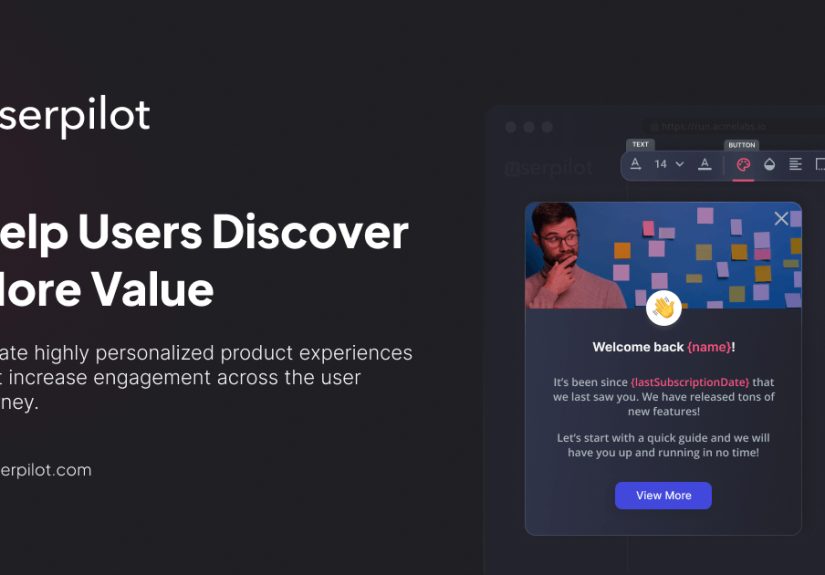
Userpilot is best known for building in-app flows: interactive walkthroughs, product tours, tooltips, banners, modals, slideouts, hotspots/spotlights,
and checklists. These are the building blocks of guiding users to valueespecially when you use them sparingly and contextually.
The goal isn’t “show everything.” It’s progressive disclosure: reveal what’s needed when it’s needed, so users don’t get overwhelmed.
UX research consistently shows that contextual help can outperform long upfront tutorials for many products, especially after the first session.
2) Segmentation and targeting (because “everyone sees the same tour” is how churn is made)
A new admin user and a returning power user should not get the same prompts. Userpilot’s segmentation lets you target experiences based on user attributes,
company data, and behaviorso you can:
- Show a “first-time setup” checklist only to brand-new accounts.
- Nudge trial users toward high-intent actions that correlate with conversion.
- Announce a feature only to the users who will actually care (bless them).
Personalization doesn’t need to be creepy. It just needs to be useful.
3) Product analytics for adoption (so you can stop arguing and start measuring)
Engagement is only “engagement” if it leads to outcomes: activation, retention, expansion, lower support tickets, higher trial-to-paid conversion.
Userpilot positions itself as an all-in-one approach that combines in-app guidance with product analyticsso you can connect “we shipped a tour”
to “users adopted the feature” without juggling five tabs and a spreadsheet that cries at night.
Practical analytics you should care about:
- Funnels: Where users drop off on the way to activation.
- Retention trends: Who comes back after Day 1, Week 1, Month 1.
- User paths: The real journeys users take (spoiler: they ignore your ideal flow).
- Feature usage: Who uses what, how often, and what predicts success.
If you’ve ever launched an onboarding flow and then wondered, “Did that help or did we just add glitter to the problem?”analytics is your antidote.
4) Feedback and surveys (NPS is not a personality trait)
Userpilot supports in-app feedback collection, including NPS surveys and other targeted surveys, so you can ask questions in context:
after a user completes a workflow, tries a feature, or hits a milestone.
The win here is timing. Feedback asked at the right moment is more accurate than “How are we doing?” emailed three weeks after a user rage-quit.
Pair surveys with segmentation and you can identify patterns like: “Promoters adopt Feature A within 48 hours, detractors never find it.”
5) In-app support with a Resource Center (aka: “help users help themselves”)
If your support team is answering “Where is the export button?” more than once per hour, you’re not running a support orgyou’re running a scavenger hunt hotline.
Userpilot’s Resource Center approach lets you surface help content and guidance inside the app, so users can self-serve without leaving the workflow.
The trick is to make support content discoverable but not distracting: the best resource centers behave like a good bartenderpresent, helpful, and not yelling.
6) Operational extras: profiles, roles, and the stuff grown-ups ask about
Beyond the shiny onboarding UI, platforms like Userpilot typically include user/company profiles, roles/permissions, integrations, and data flows that help teams
run engagement at scaleespecially in B2B SaaS where “one user” is rarely just one user.
Where Userpilot fits in the SaaS lifecycle
User engagement isn’t a single moment. It’s a chain reaction across the user journey. Here’s how Userpilot commonly maps to lifecycle goals:
New user onboarding
The mission: shorten time-to-value. Use welcome screens, goal selection, contextual tooltips, and a short checklist that points to meaningful actionsnot busywork.
(“Upload your logo” is cute. “Invite a teammate and complete your first report” is profitable.)
Activation and “aha!” moments
The mission: get users to the first outcome they actually care about. Build flows around user intent. If you don’t know intent, ask with a short prompt or microsurvey
and route users into different paths.
Feature adoption and expansion
The mission: guide users to sticky features that increase value (and revenue). Use segmentation to target accounts ready for advanced workflows.
Pair in-app announcements with a quick interactive guide and a “learn more” path in your resource center.
Churn prevention
The mission: intervene before users disappear. Watch for behavioral signals like reduced usage, stalled activation, or “never used core feature.”
Trigger gentle re-engagement prompts, offer help, and collect feedback while you can still fix the experience.
A practical 30-day Userpilot rollout plan (that doesn’t require summoning the engineering gods)
Week 1: define success and instrument the basics
- Pick 1–2 north-star outcomes for the next 30 days (e.g., activation rate, trial-to-paid, feature adoption).
- Identify 3–5 key actions that predict success (your “activation events”).
- Set up event tracking/feature tagging so you can measure adoption.
- Create baseline dashboards: funnel to activation, retention snapshot, feature usage.
Week 2: build an onboarding experience that respects attention spans
- Create a short welcome flow with one job: route users to the right first step.
- Add a checklist with 3–5 meaningful items tied to real product value.
- Use tooltips/spotlights only where users tend to stall (not everywhere, please).
- Give users control: allow dismissal/snooze where appropriate so it doesn’t feel like a hostage situation.
Week 3: personalize and iterate with segmentation
- Segment by role (admin vs member), persona, plan, lifecycle stage, or use-case intent.
- Create 2–3 alternate onboarding paths based on those segments.
- Add “just-in-time” guidance for users who fail a step (drop-off triggers).
Week 4: add feedback loops and optimize
- Launch an in-app NPS or micro-survey tied to key moments (after activation, after first success).
- Review funnel drop-offs and session patterns weekly.
- A/B test one element at a time (copy, timing, segment rules, checklist order).
- Turn insights into a monthly engagement calendar: onboarding improvements, feature launches, churn risk interventions.
Userpilot vs. other tools (quick, opinionated, and actually useful)
“Best” depends on your context. Here’s a clear way to think about common categories:
Userpilot vs Appcues
Appcues is well-known for onboarding patterns and in-app experiences like tours, tooltips, and checklists. If your primary need is building guided flows and iterating
on them quickly, it’s a strong contender. Userpilot plays in the same arena but emphasizes combining guidance with analytics and feedback in one platform.
Userpilot vs Pendo
Pendo is a heavyweight in product analytics plus in-app guides, and it’s widely used for collecting in-app feedback (including NPS) and tracking sentiment over time.
If you want deep analytics and enterprise-friendly capabilities, Pendo is often on the shortlist. Userpilot tends to be positioned as a faster-to-launch, no-code
approach for product-led engagement with a strong focus on in-app experiences tied to adoption outcomes.
Userpilot vs WalkMe (Digital Adoption Platforms)
WalkMe is a digital adoption platform (DAP) that overlays guidance across applications, often used for employee enablement, workflow automation, and enterprise-scale
adoption across many tools. If your primary problem is “our internal teams can’t use Salesforce correctly,” DAPs shine. If your problem is “our SaaS users aren’t activating,”
Userpilot-style product engagement tools are usually the better fit.
Userpilot vs Intercom
Intercom is iconic for customer messaging and support experiencesproduct tours and onboarding messaging can be part of the mix, especially when tied to communication strategy.
But Intercom’s core is conversation and support, not necessarily product adoption analytics. Many SaaS teams pair a messaging platform with a dedicated product engagement tool
when they want deeper in-app guidance and adoption measurement.
Pricing and ROI: what to consider before you swipe the company card
Userpilot’s public pricing is typically based on monthly active users (MAUs), with tiers for growing teams and enterprise needs. The entry plan is often presented
as a starter option with a published monthly price (commonly shown as annual billing), while higher tiers include advanced integrations, security controls, and enterprise features.
ROI comes from moving metrics that matter: activation, retention, expansion, and reduced support burden. A classic reminder from business research is that even small improvements
in retention can have outsized profit impact. That doesn’t mean “slap on an NPS survey and become rich,” but it does justify investing in the systems that help users succeed.
Best practices that make engagement feel helpful (not haunted)
Make it contextual, not compulsory
Long, forced tutorials are risky. Users learn better when guidance appears in contextnear the feature they’re usingespecially after the first session.
Use onboarding flows to get them to a quick win, then rely on contextual help to build mastery over time.
Respect user autonomy
Good product tours let users snooze, exit, or explore. If users feel trapped, they’ll do what any rational adult does when trapped: they leave.
Build guidance that can be discovered again (resource center, checklist, searchable help), not just endured once.
Measure outcomes, not applause
Clicks on a tooltip are not success. Success is adoption: completion of key actions, increased retention, reduced time-to-value, higher conversion.
Pair experiences with funnels and retention analysis so you can see what’s improvingand what’s just decorative.
Segment like you mean it
If you only do one “advanced” thing: segment. Personalization makes engagement feel smarter and less spammy.
It also prevents the classic mistake of showing beginner prompts to power users (who will roast you silently, then churn loudly).
Common mistakes (and how to avoid them)
- Too many flows: If everything is highlighted, nothing is. Start with one activation journey.
- Checklist theater: Don’t create tasks users don’t care about. Tie items to value.
- No measurement: Launching guides without analytics is like running ads without conversion tracking.
- One-size-fits-all onboarding: Segment by role, intent, and lifecycle stage.
- Asking feedback at the wrong time: Ask after meaningful moments, not immediately after signup.
Field Notes: of Real-World Experience with Userpilot
Let’s talk about what this looks like when it hits the messy, beautiful reality of a SaaS product. Not “the demo account” reality. The
“someone signed up at 11:47 PM and immediately tried to import a 400MB CSV” reality.
Experience #1: The Trial That Wouldn’t Convert. A B2B SaaS team noticed trials were healthy, but conversions were stubborn. They assumed pricing was the issue.
Analytics told a different story: most trial users never completed the two actions that predicted successful onboarding. The fix wasn’t a discountit was guidance.
They built a two-path onboarding flow: one for users who wanted to “set up fast,” and another for users who wanted to “explore features.” A short checklist anchored both paths,
and tooltips appeared only when users hovered near high-friction UI. Conversion improved because users finally reached value before their trial clock ran out.
Experience #2: The Feature That Nobody Loved (Because Nobody Found It). The team shipped a powerful new feature and then stared at adoption numbers like they were
waiting for a toaster to start a podcast. With feature tagging and segmentation, they identified the users most likely to benefitthen launched a targeted in-app announcement
plus a one-minute walkthrough. Adoption rose, but the bigger win was learning: power users needed advanced settings explained; new users needed a simple “first success” flow.
One feature, two journeys, zero unnecessary confetti.
Experience #3: Support Tickets from the Same Parallel Universe. A support team kept getting identical tickets about a single workflow. Instead of writing a longer help
article (that users would ignore with impressive consistency), the product team embedded a Resource Center module and added contextual help right at the friction point.
Tickets dropped, and the support team discovered an exciting new hobby: not answering the same question 80 times a week.
Experience #4: NPS Was “Fine” Until It Wasn’t. The team ran NPS quarterly and felt good about the scoreuntil churn spiked in a specific segment.
They switched to an in-app NPS prompt after key milestones and added a short follow-up question for detractors. The comments weren’t always pleasant,
but they were actionable: users were confused at one step in onboarding and didn’t realize an integration existed. Two small in-app nudges and a clearer flow later,
sentiment improved where it mattered.
Experience #5: The Over-Onboarding Hangover. Some teams go through a phase where they add guidance everywhere. It’s understandablethere’s joy in shipping.
But users start to feel like they’re being narrated by an overly enthusiastic documentary voice: “And now, the user clicks the button… remarkable.”
The fix is restraint: keep flows short, let users skip, and rely on contextual help and analytics to target only the moments that need it.
The consistent pattern across these scenarios: Userpilot (and user engagement software in general) works best when you treat it like a product strategy tool,
not a decoration tool. Start with outcomes, measure behavior, personalize the journey, and iterate like you’re running a productnot a pop-up museum.
Final take
If your product is product-led, engagement isn’t optionalit’s the engine. Userpilot is built for teams who want to guide users in-app, learn from real behavior,
and improve adoption without turning every change into an engineering project.
The winning formula is simple (not easy): define activation, build contextual guidance, segment intelligently, collect feedback at the right moments, and measure outcomes.
Do that consistently and your onboarding stops being a guessing gameand starts being a growth lever.