Table of Contents >> Show >> Hide
- Turn It Into a Smart Home Command Center
- Create a Dedicated Kitchen Assistant
- Give It a Second Life as a Digital Photo Frame
- Use It as an E-Reader or Audiobook Station
- Turn It Into a Kids’ Entertainment and Learning Station
- Transform It Into a Bedside Clock and Sleep Assistant
- Use It as a Security Camera Monitor
- Make It a Portable Media Player
- Turn It Into a Dedicated Music Controller
- Create a DIY Home Dashboard With Widgets and Tools
- Experience: What Happened When I Actually Tried AI’s Suggestions
- Conclusion
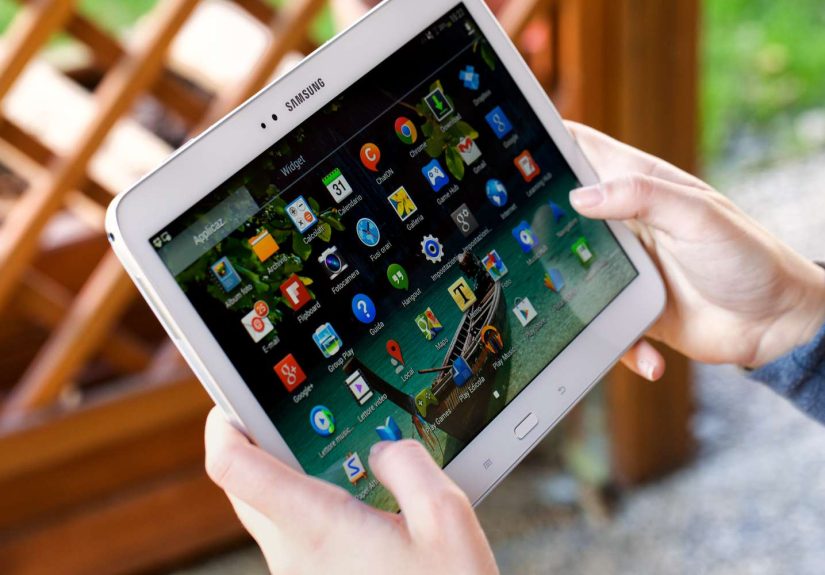
If you’ve ever opened a drawer and discovered an old Android tablet quietly judging you for abandoning it, you’re not alone. I recently found mine sitting under a stack of receipts, looking like a retired elder yearning for one last adventure. Instead of adding it to the growing museum of forgotten tech, I asked AI what to do with itand the suggestions were surprisingly brilliant, practical, and honestly kind of fun.
Whether your tablet is slow, cracked, or running an operating system older than your houseplants, there are dozens of creative and useful ways to bring it back into your daily life. Let’s dive into the smartest, simplest, and most entertaining ideas that AI recommended.
Turn It Into a Smart Home Command Center
Your old tablet might not be snappy enough for mobile gaming anymore, but it still has one major superpower: a touchscreen. With that alone, you can transform it into a central hub for your smart home. Apps like Google Home, SmartThings, and Home Assistant can run beautifully on older tablets, allowing you to control lighting, thermostats, security cameras, and even your robot vacuumall from one device.
Mount it near your kitchen, entryway, or hallway for quick access to routines and automations. Having a dedicated dashboard makes managing your smart home feel futuristic without spending a dime on new gear.
Create a Dedicated Kitchen Assistant
We’ve all tried cooking from a phone only to end up with flour on the screen and a cracked display from balancing it on a spice jar. Your old tablet can step in as your new kitchen hero.
Why It Works
- The larger screen is perfect for recipe videos.
- Hands-free voice commands make multitasking easier.
- You can store your favorite cookbooks and recipe apps.
Apps like Paprika, Tasty, and Allrecipes work flawlessly on older devices. Add a cheap tablet stand, and you’ll feel like you’re hosting your own cooking show.
Give It a Second Life as a Digital Photo Frame
If you’ve always wanted one of those sleek digital photo frames but couldn’t justify the price, your old tablet can become the best budget-friendly alternative. Simply download a slideshow app or use Google Photos to display memories on a loop. Prop it up on your shelf or desk, and suddenly your old tech becomes a charming décor piece.
Use It as an E-Reader or Audiobook Station
Before buying another Kindle or Kobo, consider turning your Android tablet into a dedicated reading device. While it might not have the battery life of an e-ink reader, it’s perfect for:
- eBooks (Kindle, Libby, Google Play Books)
- Comics and graphic novels (Comixology, Marvel Unlimited)
- Audiobooks (Audible, Scribd, Libby)
With its larger display, it’s particularly great for readers who prefer adjustable fonts or need a backlit screen.
Turn It Into a Kids’ Entertainment and Learning Station
If you have kids, an old tablet can save you from arguments over screen time on your main devices. Wipe the tablet, set up Google Family Link, and load it with educational apps, puzzles, drawing programs, and streaming services.
It becomes a safe, controlled digital playground you don’t have to micromanageplus, if they somehow break it, you won’t need an emotional support group to cope with the loss.
Transform It Into a Bedside Clock and Sleep Assistant
One of AI’s simplest but most genius suggestions: repurpose the tablet as a smart alarm clock. Apps like Sleep Cycle, Calm, and even YouTube’s endless supply of sleep sounds can help create a calming atmosphere.
Add a clock display app, dim the brightness, and dock it next to your bed. Boominstant smart bedside station without buying anything new.
Use It as a Security Camera Monitor
Do you have security cameras or baby monitors? Your old tablet can serve as a dedicated monitoring screen. Install your camera apps and leave the tablet plugged in on a stand. This is especially helpful for:
- Home security feeds
- Video doorbells
- Baby monitoring apps
- Pet cameras
It frees your main phone from constant alerts and gives you an always-on display you can check at a glance.
Make It a Portable Media Player
If you travel, commute, or binge-watch shows wherever you can find a seat, an old tablet can be your entertainment partner. Download movies, TV episodes, podcasts, or offline playlists and use the tablet exclusively for media consumption.
It’s especially helpful for long flights or car rides when you don’t want to drain your primary phone’s battery.
Turn It Into a Dedicated Music Controller
Streaming services run well on older tablets. Set yours up as a permanent music controller for any roomperfect for kitchens, workshops, patios, or home offices.
Apps that work beautifully include:
- Spotify
- YouTube Music
- Pandora
- Amazon Music
- Sonos
Pair it with Bluetooth speakers and you’ll have a surprisingly premium audio experience.
Create a DIY Home Dashboard With Widgets and Tools
Android tablets are fantastic for customizable dashboards. You can load them with widgets for:
- Weather and forecasts
- Calendars and to-do lists
- Stock tickers
- Email previews
- Notes and reminders
- Traffic updates
- Timers and calculators
Having an all-in-one info center is incredibly useful for keeping your daily life organized.
Experience: What Happened When I Actually Tried AI’s Suggestions
Once I had this list, I picked a few ideas to test in real life. Spoiler: my sad, forgotten tablet suddenly became one of the most useful gadgets in my home. Here’s what happened when I put AI’s recommendations to work.
The Smart Home Dashboard: Surprisingly Addictive
I mounted the tablet near my kitchen and installed Google Home. Within minutes, I had a real-time lighting and thermostat hub. Now I catch myself adjusting brightness levels like a director setting up a movie scene. It’s a level of convenience I didn’t know I craved.
The Kitchen Assistant: A Mess-Saver
I tried using the tablet in the kitchen next, and it completely changed the way I cook. The bigger screen meant I wasn’t squinting at tiny ingredient lists. Voice commands saved me from touching the screen with sticky fingers. And having multiple recipe tabs open? Honestly, life-changing.
The Digital Photo Frame: Instant Joy
This idea seemed basic at firstuntil I set it on my desk. Now it cycles through family photos, vacation shots, and pet pictures I forgot existed. It’s a quiet little mood booster that fits perfectly into my day.
The Bedside Sleep Station: A Huge Upgrade
Using the tablet as a sleep assistant worked better than expected. Calm’s ambient sounds played beautifully through the tablet’s speaker, and the large digital clock display means I’m no longer grabbing my phone at night (a big win for sleep hygiene).
Trying these ideas didn’t just revive my old tabletit made my everyday routines smoother, more fun, and surprisingly more organized. Instead of thinking of old tech as outdated, I now see it as an opportunity to add value to my home without spending anything extra.
Conclusion
Your old Android tablet isn’t ready for the recycling bin just yet. Whether you turn it into a smart home hub, a reading station, a photo frame, or a dedicated music controller, there’s a second life waiting for it. With a little creativityand a nudge from AIyou can transform a forgotten device into one of the most helpful gadgets in your home.