Table of Contents >> Show >> Hide
- Why Candy Crush Disconnects From Facebook
- Method 1: Reconnect Candy Crush From Inside the Game
- Method 2: Renew Candy Crush Permissions in Facebook
- Method 3: Switch Facebook Back to Social Gaming
- Method 4: Update, Restart, Clear Cache, or Reinstall
- Method 5: Use a King Account or Contact Support for Lost Progress
- Quick Troubleshooting Checklist
- Common Mistakes to Avoid
- Extra Experience Guide: What It Feels Like to Fix Candy Crush Facebook Sync
- Conclusion
- Editorial Note
- SEO Tags
When Candy Crush refuses to reconnect to Facebook, it can feel like your candy kingdom has been hit by a licorice tornado. One minute you are happily matching striped candies, checking friends on the leaderboard, and guarding your hard-earned level progress. The next minute, the game acts like it has never met your Facebook account in its life. Rude? Absolutely. Fixable? Usually, yes.
This guide walks you through five easy methods to reconnect Candy Crush to Facebook, restore syncing, refresh permissions, and avoid accidentally sending your progress into the digital candy fog. The steps below are based on current official guidance from King, Facebook/Meta, Google Play, and Apple support resources, rewritten into a simple, practical troubleshooting guide for everyday players.
Why Candy Crush Disconnects From Facebook
Candy Crush Saga can be played without Facebook, but connecting to Facebook or a King account helps back up your progress, sync your game across devices, and restore your levels after reinstalling or switching phones. King explains that a saved profile protects progress on its servers and allows players to play across multiple devices.
So why does the connection break? The most common reasons include expired Facebook app permissions, logging into the wrong Facebook profile, changing your Facebook password, outdated app versions, unstable internet, corrupted app cache, or selecting the wrong Facebook gaming privacy option. In less dramatic terms: Candy Crush, Facebook, and your device occasionally stop speaking the same language.
Before trying advanced fixes, check three basics: your internet connection, your Facebook login, and whether Candy Crush is updated. A weak connection can interrupt the login handshake, while an old app version may not communicate properly with Facebook’s current login system. Think of this as making sure the candy conveyor belt is plugged in before blaming the chocolate.
Method 1: Reconnect Candy Crush From Inside the Game
The simplest fix is often the one hiding in plain sight. If Candy Crush has logged you out of Facebook, reconnect directly from the game menu.
Steps to reconnect in Candy Crush
- Open Candy Crush Saga on your phone, tablet, or computer.
- Tap the gear icon or open your Profile menu.
- Select My Account, Profile, or a similar account option.
- Tap Continue with Facebook.
- Log in with the Facebook account originally connected to your Candy Crush progress.
- Restart the game after the login completes.
King’s support guidance says that if your progress or friends list disappears, you should make sure you are signed into the correct Facebook profile on your phone, open the game, choose your account/profile option, and use the blue Continue with Facebook button to access your saved game.
Important tip: use the correct Facebook account
This matters more than most players realize. If you have two Facebook accounts, share a device with family, or recently logged into a different profile, Candy Crush may connect to the wrong one. That can make your game look like it reset to level 1, even though your real progress is still attached to another Facebook account. Before panicking, log out of Facebook everywhere on that device, sign into the correct profile, then reconnect Candy Crush.
If Candy Crush opens at level 1 after reconnecting, do not immediately start playing dozens of new levels. First, confirm whether you used the right Facebook account or a King account. Playing on a fresh local profile may complicate recovery later.
Method 2: Renew Candy Crush Permissions in Facebook
Facebook app permissions can expire. When they do, Candy Crush may lose access to your friends list, saved profile connection, or social features. King notes that Facebook app access can expire after 90 days, and an expired app may affect progress and friends syncing.
How to check Candy Crush permissions on Facebook
- Open Facebook in a browser or the Facebook app.
- Go to Settings & privacy.
- Choose Settings.
- Find Apps and websites.
- Look for Candy Crush Saga under active, expired, or removed apps.
- If it appears as expired, renew access if Facebook gives you the option.
- Return to Candy Crush and tap Continue with Facebook again.
Meta’s help materials explain that third-party apps and games connected through Facebook can be managed from the apps and websites settings, where users can review or remove connections.
Should you remove Candy Crush from Facebook and reconnect?
Sometimes removing the app connection and reconnecting can refresh a broken login. However, use this carefully. Removing Candy Crush from Facebook does not automatically delete your Candy Crush progress from King’s servers, but it may interrupt the game’s current access to your Facebook profile until you reconnect. If you are nervous, first create or verify a King account as a backup.
After removing or renewing access, open Candy Crush again and sign in with Facebook. When Facebook asks for permission, approve the necessary access. If you deny required permissions, the game may connect only halfway, which is about as useful as a chocolate teapot.
Method 3: Switch Facebook Back to Social Gaming
Some players lose Candy Crush Facebook access because they accidentally select a non-social gaming option on Facebook. King states that if you choose “non-social” gaming, you will not be able to play Candy Crush Saga on Facebook or connect your game using Facebook until you switch back to social gaming.
How to switch back to social gaming
- Open Facebook on a desktop browser.
- Go to Facebook settings.
- Find the Gaming setting.
- Click Update.
- Choose Get started.
- Select Switch to social gaming.
- Confirm the change and click Done.
This method is especially useful if Candy Crush works normally as a standalone app but refuses to connect through Facebook, show friends, or sync social features. It also helps if you recently saw a Facebook pop-up asking how you want to play games and clicked through quickly. No judgmentmany of us have clicked “continue” like we were defusing a candy bomb.
When this method works best
Use this method if you see messages about Facebook gaming settings, cannot access Candy Crush through Facebook, or notice that multiple Facebook-connected games stopped working around the same time. If only Candy Crush is misbehaving, try Methods 1 and 2 first. If several games lost Facebook access, the issue may be your Facebook gaming preference rather than Candy Crush itself.
Method 4: Update, Restart, Clear Cache, or Reinstall
If your account settings look correct but Candy Crush still refuses to connect to Facebook, the problem may be technical. King recommends updating the game and Facebook app, checking device software, restarting the device, trying Wi-Fi instead of cellular data, and reinstalling the game if connection problems continue.
Start with the safe fixes
- Update Candy Crush Saga from the App Store, Google Play, or Microsoft Store.
- Update the Facebook app.
- Restart your phone, tablet, or computer.
- Switch from cellular data to Wi-Fi, or try a different stable network.
- Open Facebook first and confirm that you are logged into the correct account.
- Open Candy Crush and reconnect with Facebook.
For Android players
On Android, clearing cache can help when the Facebook login window freezes, loops, or fails to open. Go to Settings > Apps > Candy Crush Saga > Storage & cache, then clear the cache. You can also clear the Facebook app cache. Google explains that clearing cache deletes temporary data, while clearing storage permanently deletes app data, so be careful with the stronger option.
For iPhone and iPad players
iOS does not offer the same simple per-app cache button for every app. Start by updating Candy Crush and Facebook. Apple’s support instructions explain how to update apps manually through the App Store, and Apple also provides steps to delete and reinstall apps if needed.
If Candy Crush keeps connecting to the wrong Facebook account on an Apple device, King recommends opening Safari, going to Facebook, logging out of the wrong account, logging into the correct one, restarting the device, and then reopening the game.
Before reinstalling Candy Crush
Reinstalling can fix broken app files, but do not treat it like a casual snack break. If your progress was never saved to Facebook or a King account, uninstalling may remove local progress. King specifically warns that game progress stored only on the device can be lost if it is not backed up.
If you already know your progress is saved to Facebook or a King account, reinstalling is usually less scary. Still, remember that some items, such as boosters and extra lives, may be saved locally and may not transfer the same way as level progress.
Method 5: Use a King Account or Contact Support for Lost Progress
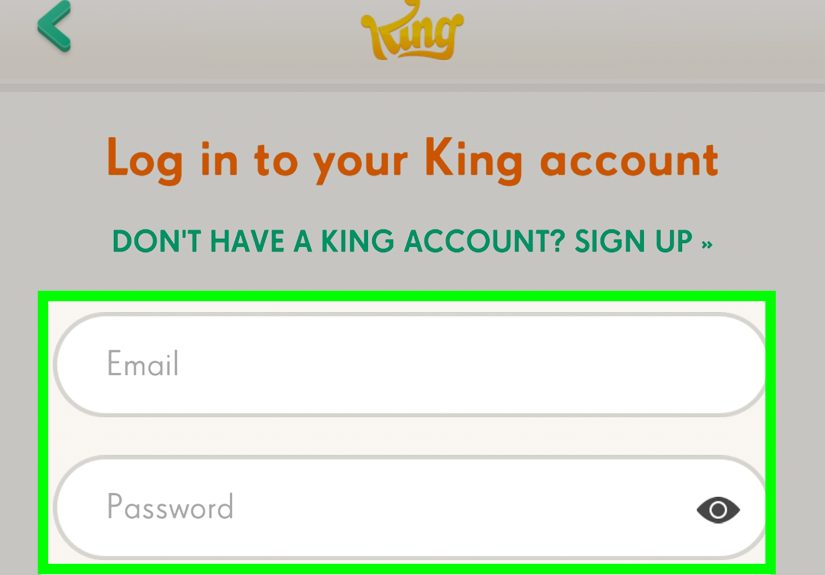
If Facebook reconnecting still fails, create or use a King account. A King account can save your Candy Crush progress without relying only on Facebook. This is useful if your Facebook account is locked, deleted, hacked, inaccessible, or simply being more dramatic than a wrapped candy combo.
How to connect Candy Crush to a King account
- Open Candy Crush Saga.
- Tap the profile, account, or settings button.
- Choose Sign up with email or Log in with email.
- Enter your email address and create a password.
- Confirm the account and let the game sync.
King explains that players can merge Facebook and King accounts by logging out of one account in the game and logging into the other, though manual support may be needed if syncing does not work. King also notes that levels can be transferred by Player Support in some cases, but boosters, lives, Gold Bars, and high scores may not all move over.
When to contact King Player Support
Contact King Support if your level progress disappeared, your Facebook account is gone, the game connects to the wrong account, or you cannot recover progress after trying the methods above. Include useful details such as your approximate level, the email connected to your King account, the Facebook profile previously used, your device type, and any error messages you see.
King’s lost-progress guidance says that if progress is missing, players should try logging out and back in with the correct King or Facebook account. If the progress was not previously saved, automatic restoration may not be possible, but players can create an account and contact King Support for help recovering levels.
Quick Troubleshooting Checklist
- Correct Facebook account? Log out of the wrong profile and sign into the one originally used.
- Expired permissions? Check Facebook Apps and websites settings.
- Non-social gaming selected? Switch back to social gaming in Facebook settings.
- Apps updated? Update Candy Crush, Facebook, and your device software.
- Bad connection? Try Wi-Fi instead of mobile data.
- Cache problem? Clear cache on Android or reinstall carefully on iPhone.
- Still stuck? Connect with a King account or contact King Support.
Common Mistakes to Avoid
Do not clear app storage too quickly
Clearing cache is usually safe. Clearing app storage or deleting the app is more serious because it can remove local game data. If your game was not backed up, that data may not return automatically.
Do not create a new Facebook connection blindly
If Candy Crush starts at level 1, stop and check your account. You may be connected to a different Facebook profile. Creating new progress on the wrong profile can make the situation more confusing.
Do not assume boosters transfer like levels
Level progress is the main item saved through account syncing. Boosters, lives, and some extras may remain tied to the device. If you are changing phones, use valuable boosters before switching if you are worried about losing them.
Do not ignore Facebook password changes
If you recently changed your Facebook password, Candy Crush may need a fresh login. Log out of Facebook on your device, sign back in with the new password, then reconnect inside Candy Crush.
Extra Experience Guide: What It Feels Like to Fix Candy Crush Facebook Sync
Anyone who has played Candy Crush for more than a few weeks knows that progress feels weirdly personal. It is not just a number on a screen. It is the memory of beating that one nightmare level after three days, the thrill of finally getting a color bomb next to a striped candy, and the quiet satisfaction of passing a friend who said they “barely play.” So when Candy Crush disconnects from Facebook and your progress seems missing, the first reaction is usually panic with a side of betrayal.
The best experience-based advice is to slow down. Most reconnection problems are not permanent. The game often looks reset because it is showing a temporary local profile, not because your real progress has vanished. Before uninstalling anything, check the Facebook account. This is the step people skip most often. On shared tablets, family phones, or old computers, Facebook may be logged into a spouse, sibling, parent, or alternate account. Candy Crush will politely connect to whatever Facebook account is active, even if it is absolutely not the one with your precious level history.
Another real-world lesson: expired permissions are sneaky. You may not receive a dramatic warning that says, “Hello, your Candy Crush connection has expired.” Instead, friends disappear, leaderboards look odd, or the game asks you to reconnect. Going into Facebook’s Apps and websites settings feels boring, but it can solve the issue faster than reinstalling everything. If Candy Crush appears under expired apps, renew access and then restart the game. It is not glamorous, but neither is being stuck on a jelly level for two weeks.
Players also often underestimate the power of a full restart. Not just closing the game and reopening it, but actually turning the device off for a few seconds. This clears stuck login windows, old sessions, and tiny app hiccups that can block Facebook authentication. Combine that with updated apps and a stable Wi-Fi connection, and many “impossible” login problems suddenly become very possible.
If you play Candy Crush on more than one device, make a King account even if Facebook works perfectly today. Facebook is convenient, but having a King account gives you another recovery path. It is like carrying a spare key, except the house is made of candy and occasionally demands you match three cherries to enter.
Finally, keep your expectations realistic. Reconnecting Facebook usually restores levels and saved progress if the account was synced before. It may not restore every booster, life, or temporary event reward. That can be annoying, but losing a few boosters is better than losing thousands of levels. The smartest long-term habit is simple: stay logged into the right account, keep apps updated, check permissions occasionally, and create a King account as backup. Future you, sitting proudly beyond level whatever-number-is-currently-ridiculous, will be grateful.
Conclusion
Reconnecting Candy Crush to Facebook is usually a matter of refreshing the account connection, renewing Facebook permissions, correcting your gaming settings, updating the app, or using a King account as a backup. Start with the easiest fix: confirm the right Facebook profile and tap Continue with Facebook inside Candy Crush. If that fails, check Facebook app permissions, switch back to social gaming, update and restart your device, then consider reinstalling only after you know your progress is safely backed up.
The sweetest fix is prevention. Keep Candy Crush connected to Facebook or a King account, avoid clearing storage unless you understand the risk, and write down which email or Facebook profile holds your progress. Candy Crush may be full of jelly, chocolate, and cartoon chaos, but your account recovery plan does not have to be.
Editorial Note
This article synthesizes current official support guidance from King, Candy Crush Saga support, Facebook/Meta Help, Google Play Help, and Apple Support. It is written for general troubleshooting and should be used alongside in-game instructions and official support if your account or progress remains missing.