Table of Contents >> Show >> Hide
- Seller Feedback vs. Product Review: What’s the Difference?
- Before You Start: Quick Rules That Save You Time
- How to Leave Seller Feedback on Amazon: 8 Steps
- Step 1: Sign in to your Amazon account
- Step 2: Go to your orders
- Step 3: Find the exact order
- Step 4: Open the order details
- Step 5: Look for “Leave seller feedback”
- Step 6: Choose your star rating and answer any quick prompts
- Step 7: Write your comment (optional, but powerful)
- Step 8: Submit your feedback
- Troubleshooting: Why You Can’t Find the Seller Feedback Button
- What to Write in Seller Feedback (So It Actually Helps People)
- Examples: Seller Feedback That’s Clear (and Actually Useful)
- FAQ: Editing, Removing, and “Oops” Moments
- Pro Tips: Getting the Most Out of Your Feedback (Without Writing a Novel)
- Experiences Shoppers Commonly Have When Leaving Seller Feedback (Real-World Stories + Lessons)
- Experience #1: “Where is the feedback button hiding today?”
- Experience #2: The classic mix-upreviewing the product in the seller feedback box
- Experience #3: The “it arrived late, but the seller saved it” situation
- Experience #4: The “packaging was… a choice” moment
- Experience #5: The “I want to fix my feedback” dilemma
- Experience #6: The “short feedback is still great feedback” win
- Conclusion
You know that feeling when a package shows up early, perfectly packed, and you think: “I should reward this level of competence”?
Or the oppositewhen the box arrives looking like it took a scenic route through a tornado and you think: “Cool, cool… other people should probably know this.”
That’s exactly what Amazon seller feedback is for: it’s a quick rating (and optional comment) about your buying experience with a
third-party sellernot a review of the product itself. Done right, seller feedback helps good sellers stand out, warns shoppers about real issues,
and gives sellers a chance to improve. Done wrong, it becomes the internet equivalent of yelling at the delivery truck for traffic.
Seller Feedback vs. Product Review: What’s the Difference?
Think of it like this:
- Seller feedback = how the seller handled the order (shipping speed promises, packaging quality, communication, order accuracy, problem resolution).
- Product review = how the item performs (quality, fit, durability, features, whether it actually does the thing it claims to do).
If your complaint is “the blender is loud,” that belongs in a product review.
If your complaint is “the seller shipped the blender in a bag like a baguette,” that’s seller feedback territory.
Before You Start: Quick Rules That Save You Time
1) You’re usually reviewing a third-party seller (Marketplace), not Amazon
Seller feedback is mainly for Marketplace sellers. If your order was “Ships from and sold by Amazon,” you may not see the same seller feedback options
(because the “seller” is Amazon). You can still leave a product review, but seller feedback is focused on Marketplace transactions.
2) You have a time window
Amazon typically allows seller feedback within a limited period after your order (commonly within 90 days). If you’re trying to leave feedback on a purchase
from last summer, the button might be gonelike your motivation to clean the garage.
3) The “Leave seller feedback” button may not appear immediately
If you don’t see the button right after delivery, don’t panic. Amazon notes it can take up to a few days after an order is completed or canceled for the
“Leave seller feedback” option to show up.
4) Be honestdon’t “game” reviews
Amazon has policies against review manipulation (things like fake reviews, incentives for biased ratings, or misleading content). As a buyer, the simplest rule is:
write what happened, keep it fair, and don’t include personal info you wouldn’t want printed on a billboard.
How to Leave Seller Feedback on Amazon: 8 Steps
These steps work whether you’re on desktop or the Amazon mobile app. Labels may vary slightly (Amazon loves a good button rename),
but the path is basically the same.
-
Step 1: Sign in to your Amazon account
Make sure you’re logged into the account that placed the order. If you used a different account (or a family account), switch to the right one first.
-
Step 2: Go to your orders
On desktop, open Returns & Orders (often shown at the top right). On the app, tap the person/icon menu and go to Your Orders.
-
Step 3: Find the exact order
Use search filters (date range, order status) if needed. If you bought five phone cases in one month (no judgment), the filters are your best friend.
-
Step 4: Open the order details
Tap/click Order Details or View order details. This is where Amazon typically hides the good stuff: returns, invoices,
and yesseller feedback. -
Step 5: Look for “Leave seller feedback”
If you see a button or link that says Leave seller feedback, select it. If you don’t see it, jump to the troubleshooting section below.
Alternative route: Some shoppers can also reach a seller feedback page directly (Amazon may route you through a dedicated feedback area).
-
Step 6: Choose your star rating and answer any quick prompts
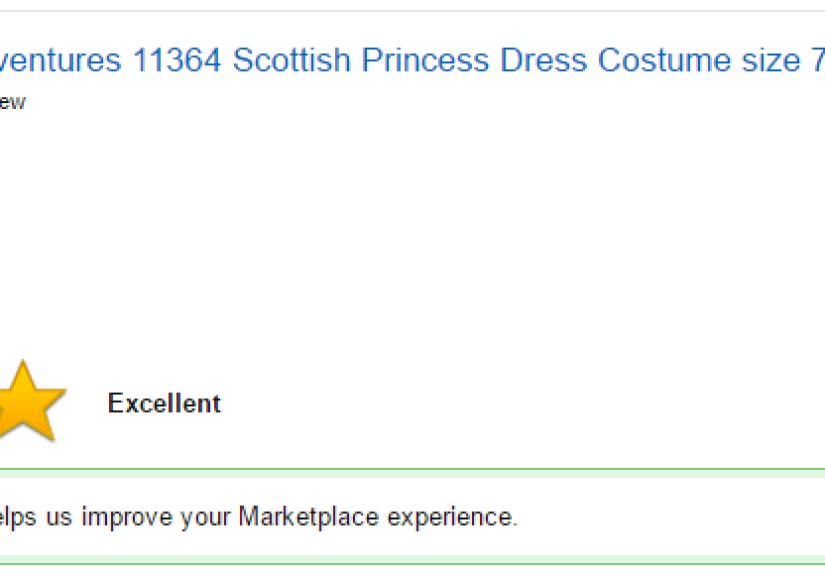
Amazon often asks you to rate the experience (usually 1–5 stars) and may include short prompts about delivery timeliness, item condition/accuracy, or seller communication.
Answer honestly and keep it about the buying experience. -
Step 7: Write your comment (optional, but powerful)
If there’s a comment box, use it. A star rating alone is helpful, but a short, specific comment helps other shoppers understand why you rated the seller that way.
Aim for 1–3 sentences that describe what happened and what the seller did (or didn’t do).- Good: “Item arrived two days early and was packed securely. Seller responded within an hour when I asked a question.”
- Not ideal: “Worst seller ever!!!” (This is emotional, but not useful.)
-
Step 8: Submit your feedback
Hit Submit. That’s ityour feedback becomes part of the seller’s public reputation on Amazon.
If you wrote a comment, double-check it for personal info before submitting (full names, phone numbers, addresses, etc.).
Troubleshooting: Why You Can’t Find the Seller Feedback Button
You’re outside the feedback window
Seller feedback is time-limited (commonly within 90 days). If the purchase is too old, the option may not be available.
The order hasn’t “completed” yet (or you’re too early)
Amazon notes the seller feedback button can take up to a few days after an order is completed or canceled to appear. If delivery was today, try again later.
The item was sold by Amazon (not a third-party seller)
Seller feedback is mainly for Marketplace sellers. If Amazon was the seller, you’ll generally leave a product review instead.
You’re using the wrong account
If the order was placed by someone else in your household, you may not see feedback options from your profile. Switch accounts or ask the purchaser to leave the feedback.
You’re looking at the product page
Product pages lead you toward product reviews. Seller feedback usually lives in Your Orders or the seller’s profile area, not on the product listing.
What to Write in Seller Feedback (So It Actually Helps People)
The best seller feedback is short, specific, and focused on the transaction experience. Here’s a simple formula:
What you ordered (briefly) + what happened + how the seller handled it.
Do include
- Shipping speed relative to what was promised
- Packaging quality (secure, protected, not smashed like a soda can)
- Accuracy (correct item, correct quantity, correct condition)
- Communication (helpful, fast, professional)
- Problem resolution (refunds, replacements, clear instructions)
Try to avoid
- Pure product performance notes (save those for the product review)
- Personal info (yours or the seller’s)
- Threats, profanity, or anything you wouldn’t say to a customer service rep in public
- Speculation (“I bet they did this on purpose”)stick to what happened
Examples: Seller Feedback That’s Clear (and Actually Useful)
5-star example
“Fast shipping, item exactly as described, and the seller answered my sizing question within an hour. Packaging was sturdy and clean.”
3-star example
“Item arrived as described, but shipping took longer than the delivery estimate. Seller responded politely when I reached out, but I needed the item sooner.”
1-star example (firm but fair)
“Received the wrong item and the packaging was damaged. I contacted the seller twice and didn’t receive a response. I had to initiate a return through Amazon.”
FAQ: Editing, Removing, and “Oops” Moments
Can you edit seller feedback after submitting it?
Amazon’s guidance indicates you generally can’t edit third-party seller feedback once it’s posted, but you can remove it.
In other words, it’s more “delete and move on” than “edit and perfect.”
How do you remove seller feedback you left?
Amazon’s customer help guidance describes a path like: go to Your Submitted Feedback, select Remove next to the feedback,
choose a reason, and confirm removal. Note: once removed, you typically can’t post new feedback for that same transactionso remove carefully.
What if your issue was caused by shipping, not the seller?
If it looks like an Amazon carrier/fulfillment issue, focus your seller feedback on the seller’s actions (like communication or problem resolution),
and consider using Amazon’s order help/return tools for the delivery problem itself. The goal is to hold the right party accountable.
Is seller feedback the same as a product review?
Nope. Seller feedback is about the buying experience with that seller; product reviews are about the product.
If you want to help shoppers most, leave both: seller feedback for service, product review for item quality.
Pro Tips: Getting the Most Out of Your Feedback (Without Writing a Novel)
- Use one concrete detail. “Arrived two days early” is gold. “Arrived fast” is okay, but less specific.
- Separate product issues from seller issues. If the product broke but the seller handled the replacement beautifully, say so.
- If you’re upset, wait 10 minutes. Not because your feelings aren’t validbecause your feedback will be clearer and more persuasive.
- Keep it honest. Amazon policies take review integrity seriously; don’t exaggerate or post anything you can’t stand behind.
Experiences Shoppers Commonly Have When Leaving Seller Feedback (Real-World Stories + Lessons)
Below are scenarios that mirror what many Amazon shoppers run into. If any of these sound familiar, congratulationsyou are a normal human navigating
a gigantic website that sells everything from toothpaste to trampolines.
Experience #1: “Where is the feedback button hiding today?”
A shopper receives a package, loves the item, and goes to leave seller feedback immediatelyonly to discover the button is missing.
After ten minutes of clicking around, they give up. A few days later, they check again and suddenly the option appears in the order details.
Lesson: if the order just completed, give Amazon a little time. The feedback option may not display instantly, and the
simplest fix is often “check back later.”
Experience #2: The classic mix-upreviewing the product in the seller feedback box
Another shopper tries to be helpful and writes: “This coffee maker stops mid-brew and the buttons are weird.” It’s honest, but it’s also a product review,
not seller feedback. The seller might have shipped quickly and packed it perfectly, yet the feedback now reads like the seller personally designed
the coffee maker to disappoint mornings everywhere.
Lesson: if the issue is performance, put it on the product page review. If the issue is shipping, accuracy, packaging, or communication, use seller feedback.
Experience #3: The “it arrived late, but the seller saved it” situation
A birthday gift arrives latestress levels rise. The shopper messages the seller, and the seller responds quickly, apologizes, and offers a solution
(replacement, refund, or clear return instructions). The shopper leaves a 4-star seller feedback noting the late arrival but praising the communication.
Lesson: seller feedback can reflect both the problem and the response. Sellers aren’t always the cause of the delay, but their customer service still matters.
Experience #4: The “packaging was… a choice” moment
A fragile item arrives in a thin mailer with zero padding. Somehow it survives, but it’s a close call. The shopper leaves a polite 3-star seller feedback:
“Item arrived okay, but packaging wasn’t protective for something fragile.” Other shoppers appreciate the warning, and the seller has a clear improvement target.
Lesson: constructive feedback works best when it’s specific and calm. “More protective packaging would help” beats “YOU MONSTERS.”
Experience #5: The “I want to fix my feedback” dilemma
A shopper leaves negative seller feedback after a frustrating experience. Later, the seller makes it rightrefund issued, replacement shipped, apology sent.
The shopper wants to update the feedback but discovers they can’t edit it. Instead, they can remove it through the “Your Submitted Feedback” area.
Lesson: if you post feedback in the heat of the moment, know the system may not allow edits later. If you remove it, you generally can’t post new feedback for that order.
Choose carefully: keep it if it still reflects the full experience, or remove it if it no longer feels fair.
Experience #6: The “short feedback is still great feedback” win
A shopper overthinks the comment box: “Do I need to write a paragraph? What if I’m not funny? What if I spell ‘packaging’ wrong?”
Then they write two sentences: “Arrived on time. Seller answered my question quickly.” Done. Helpful. Efficient.
Lesson: you don’t need a speech. Two clear sentences can be more useful than a dramatic essay with plot twists.
The common thread? Seller feedback is most powerful when it’s timely, specific, and focused on the buying experience. It helps future shoppers,
encourages better service, andwhen things go wellgives credit where credit is due.
Conclusion
Leaving seller feedback on Amazon doesn’t have to be complicated: go to your orders, open the order details, choose a rating,
and write a short comment about the seller’s service. Keep it about the transaction experience (not the product performance),
stay fair and specific, and use the removal option only if you truly need to undo a post.
Your feedback is a tiny action with an outsized impact: it helps good sellers thrive, helps shoppers buy smarter, and makes the marketplace a little less chaotic.
And if nothing else, it gives you a healthy outlet for that “why was this shipped in a bag?” energy.