Table of Contents >> Show >> Hide
- What Wireless Charging Actually Is
- How Wireless Charging Works, Step by Step
- Why Alignment Matters So Much
- Qi vs. Qi2 vs. MagSafe: What Is the Difference?
- Is Wireless Charging Slower Than Wired Charging?
- Why Does Wireless Charging Make Phones Warm?
- Is Wireless Charging Bad for Battery Health?
- Can You Charge Through a Phone Case?
- Do You Need a Special Charger?
- What Is Reverse Wireless Charging?
- Can Wireless Charging Work in Cars, Furniture, and Public Places?
- Does Wireless Charging Waste More Energy?
- Who Should Use Wireless Charging Every Day?
- Best Practices for Better Wireless Charging
- So, Is Wireless Charging Worth It?
- Everyday Experiences With Wireless Charging: What It Feels Like in Real Life
- Final Thoughts
Wireless charging feels a little like magic and a little like laziness with excellent branding. You put your phone down, walk away, and somehow the battery starts filling up without a cable ever making an appearance. No plug. No port gymnastics. No nightly battle with a charging cord that has somehow fallen behind the nightstand again.
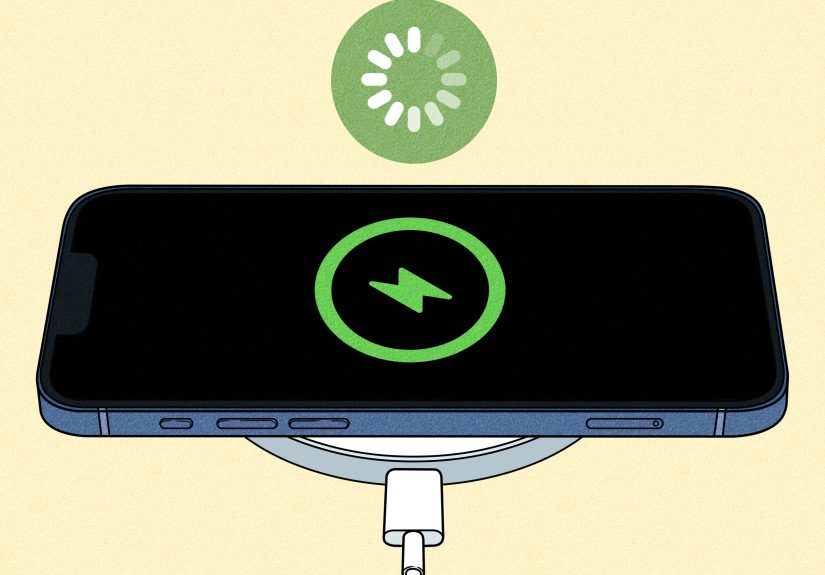
But despite the wizard vibes, wireless charging is not actually mysterious. It is a practical technology built on physics, refined by standards like Qi and Qi2, and improved by better alignment, smarter heat control, and faster charging hardware. In plain English: your charger creates an electromagnetic field, your phone receives that energy through a coil, and the battery management system turns that power into something the battery can use.
This guide breaks down exactly how wireless charging works, why some chargers are faster than others, whether it is bad for your battery, why your phone sometimes gets warm enough to feel like it is plotting something, and whether wireless charging is truly worth using every day. Let us pull the curtain back on the cable-free life.
What Wireless Charging Actually Is
Wireless charging is a way to transfer electrical power from a charging pad, stand, or dock to a compatible device without plugging a cable directly into the device. Most phones, earbuds, and some watches use a charging standard called Qi, which is pronounced like “chee.” If you have heard of Qi2 or MagSafe, those are newer variations or related systems that improve alignment and, in many cases, speed.
The important thing to understand is this: wireless charging is not truly “long-distance” charging. Your phone still needs to sit very close to the charger, usually right on top of it or magnetically attached to it. So no, you cannot toss your phone across the room and expect the lamp to charge it through vibes alone. Physics remains stubborn.
How Wireless Charging Works, Step by Step
1. The charger sends power into a coil
Inside a wireless charging pad is a copper transmitter coil. When you plug the charger into the wall, electricity flows into that coil. The coil creates an alternating electromagnetic field.
2. Your phone has its own receiver coil
Inside your phone is another coil, called the receiver coil. When you place the phone on the charger, that electromagnetic field induces an electrical current in the phone’s coil. This is the heart of wireless charging: electromagnetic induction.
3. The phone converts that energy into battery-friendly power
The power created inside the receiver coil is not ready to go straight into the battery. Your phone’s charging circuitry converts and regulates it into the type of direct current your battery can safely use. The battery management system also watches temperature, charge level, and power flow so the device does not cook itself like a forgotten burrito.
4. The charger and phone communicate constantly
A good wireless charging system is not just blasting power blindly. The charger and phone “talk” to each other. They adjust power delivery, confirm alignment, detect foreign objects, and reduce output when needed. That is why certified chargers matter. A random bargain-bin puck from the internet may look cute, but your battery prefers a charger that follows the rules.
Why Alignment Matters So Much
If you have ever set your phone on a wireless charger, walked away feeling responsible, and then come back to discover you gained 4 percent in two hours, alignment was probably the villain.
Wireless charging works best when the transmitter coil in the charger lines up closely with the receiver coil in the phone. If the coils are off-center, the power transfer becomes less efficient. That can mean slower charging, more heat, or charging that starts and stops like it cannot commit.
This is one reason newer systems have become much better. Magnetic alignment helps place the phone in the sweet spot automatically instead of relying on your midnight “close enough” technique.
Qi vs. Qi2 vs. MagSafe: What Is the Difference?
Qi
Qi is the long-running wireless charging standard used by many smartphones, earbuds, and accessories. A regular Qi charger can work very well, but placement matters more because there may be no magnets guiding the phone into position.
Qi2
Qi2 is the next-generation version of the standard. It adds magnetic alignment, which helps chargers and devices line up properly. That improves convenience, consistency, and often charging efficiency. In everyday life, Qi2 makes wireless charging feel less like a balancing act and more like a smooth snap-into-place experience.
MagSafe
MagSafe is Apple’s magnetic wireless charging system for iPhone. It inspired important parts of Qi2’s magnetic approach. Think of MagSafe as Apple’s polished version of magnetic wireless charging and Qi2 as the broader industry standard that pushes the same idea across more products.
The simple version: Qi charges wirelessly, Qi2 charges wirelessly with better magnetic alignment, and MagSafe is Apple’s magnetic flavor with tight ecosystem integration.
Is Wireless Charging Slower Than Wired Charging?
Usually, yes. Wired charging is still the speed champion in many situations. A cable delivers power more directly and with less energy loss, which generally means faster charging and less wasted energy.
Wireless charging has improved a lot, especially with modern fast wireless systems, but it is still often more about convenience than raw speed. If your battery is down to 3 percent and you need to leave in 12 minutes, a good cable is still your emergency hero. Wireless charging is better at topping off your battery throughout the day on a desk, nightstand, or car charger.
That said, fast wireless charging is now good enough for many people to use daily without feeling punished. If you mostly charge overnight or keep a charger on your desk, speed matters less than effortless habit-building.
Why Does Wireless Charging Make Phones Warm?
Heat is the most common complaint about wireless charging, and it is not imaginary. Some heat is normal because transferring power through electromagnetic induction is not perfectly efficient. A little energy gets lost as heat, especially when alignment is imperfect or the phone is doing other demanding things at the same time.
Your phone may get warmer if:
- the coils are not lined up well,
- you are using a thick or poorly designed case,
- the charger is low quality or not certified,
- you are running games, navigation, video calls, or streaming while charging,
- the room is already hot, or
- the charger is trying to push higher power for faster charging.
Smartphones are designed to protect themselves. If the device gets too warm, charging may slow down, pause, or stop temporarily. So if your phone seems picky, it may actually be protecting its battery instead of being dramatic.
Is Wireless Charging Bad for Battery Health?
Not inherently. Wireless charging itself is not automatically bad for your battery. What matters most is heat, charging habits, and charger quality.
Lithium-ion batteries do not love excessive heat, and they also do not love spending long periods at extreme charge levels in hot conditions. Because wireless charging can create more heat than wired charging in some scenarios, people often worry it is worse for the battery. That fear is understandable, but the better way to think about it is this: poorly managed heat is bad for batteries; wireless charging is just one possible source of that heat.
If you use a certified charger, keep your phone ventilated, avoid charging in blazing-hot conditions, and do not force your phone to do ten heavy tasks while charging, wireless charging can be a perfectly normal part of everyday battery care.
Can You Charge Through a Phone Case?
Often, yes. But not always well.
Thin, non-metallic cases usually work fine. Thick cases, metal plates, magnetic ring attachments, pop-out grips, and some wallet cases can interfere with charging or make it less efficient. When that happens, you may get slower speeds, more heat, or no charging at all.
If your wireless charging is flaky, the case should be the first suspect. Not the only suspect. But definitely the one who should be questioned first.
Do You Need a Special Charger?
You need a charger that matches your device’s wireless charging standard and power expectations. A phone that supports Qi can use a Qi-certified charger. A device designed for magnetic wireless charging works best with a magnetic charger that aligns properly. And if you want faster wireless speeds, you usually need both a compatible charger and a power adapter that can feed it enough power.
That last part trips people up. The wireless pad is only half the story. If the pad supports fast charging but the wall adapter feeding it is underpowered, the whole setup may crawl along like it is carrying groceries uphill.
What Is Reverse Wireless Charging?
Reverse wireless charging is when your phone becomes the charger. Some phones let you place earbuds, a watch case, or even another phone on the back of the device to share battery power wirelessly.
This feature is handy, but it is not especially efficient. It is more of an emergency convenience than your new daily lifestyle. Think: “My earbuds are dying and I need them for the train ride home,” not “I have discovered an elegant new energy economy.”
Can Wireless Charging Work in Cars, Furniture, and Public Places?
Yes. Wireless charging pads now show up in cars, hotel furniture, airport lounges, and coffee-shop tables. The same basic principle applies, but real-world performance varies. Built-in car chargers, for example, can be fussier because of movement, case thickness, heat buildup, and awkward coil placement. If your phone slides around while driving, charging can become inconsistent.
Public chargers are convenient, but slower wireless charging in shared spaces is usually better for top-ups than full recharges. Think of them as battery snacks, not full meals.
Does Wireless Charging Waste More Energy?
In many cases, yes. Wireless charging is generally less efficient than wired charging because some energy is lost in the transfer process. Better alignment, better charger design, and newer standards improve efficiency, but a cable still tends to waste less power overall.
If maximum efficiency is your top priority, wired charging wins. If convenience and reduced cable wear matter more, wireless charging makes a strong case for itself.
Who Should Use Wireless Charging Every Day?
Wireless charging is especially useful for people who:
- charge overnight,
- want fewer cables on a desk or nightstand,
- top off battery throughout the day,
- have devices that support magnetic alignment,
- prefer convenience over absolute fastest charging speed,
- use earbuds or accessories that also charge wirelessly.
It is less ideal if you are always in a hurry, often need the fastest possible recharge, or regularly use your phone heavily while it charges.
Best Practices for Better Wireless Charging
- Use a certified charger from a reputable brand.
- Make sure the wall adapter provides enough power for the charger.
- Center the phone carefully, or use a magnetic system for automatic alignment.
- Remove thick, metallic, or magnetic accessories if charging is inconsistent.
- Keep the charger on a cool, flat surface with airflow.
- Avoid gaming, navigation, or heavy streaming while charging wirelessly.
- If your phone gets unusually hot, pause charging and troubleshoot the setup.
So, Is Wireless Charging Worth It?
Yes, for most people, wireless charging is worth it for convenience alone. It makes charging easier, reduces wear on ports and cables, and fits naturally into daily routines. Put a charger on your desk and your phone tops off while you work. Put one on your nightstand and bedtime charging becomes a one-second move. Add magnetic alignment, and the whole thing gets even more practical.
No, it is not faster than the best wired charging in many cases. No, it is not perfect. And yes, it can generate more heat if your setup is bad. But when you use a quality charger with a compatible phone, wireless charging stops feeling like a flashy extra and starts feeling like the obvious way charging should work.
Everyday Experiences With Wireless Charging: What It Feels Like in Real Life
In real life, wireless charging tends to win people over slowly. Nobody usually holds a charging pad in the air and shouts, “This has changed me as a person.” It is more subtle than that. The first thing most people notice is not speed. It is friction disappearing. You stop thinking about charging as a task. At a desk, for example, it becomes incredibly natural to set your phone down between emails, meetings, and snacks that were definitely supposed to be lunch. You pick it up at 11:00 a.m., put it back down at 11:07, and by the end of the day your battery has quietly stayed afloat without a dramatic rescue mission.
The nightstand experience is even better. A cable in the dark is a tiny nightly insult. Wireless charging removes that ritual. You just place the phone down and go to sleep like a civilized person in a futuristic toothpaste commercial. Magnetic chargers improve this further because there is a little snap that tells you everything is lined up correctly. That tiny click is oddly satisfying. It is the sound of competence.
There are, of course, less glamorous moments. Car wireless chargers can be both useful and mildly annoying. On a smooth road, they are great. On a bumpy road, your phone may slide just enough to interrupt charging, especially if the tray is shallow or the case is bulky. Then there is heat. Add navigation, sunlight through the windshield, and summer weather, and your phone may decide it would rather preserve its battery than keep charging aggressively. It is not wrong. It is just inconvenient at exactly the moment you wanted technology to be heroic.
Wireless charging also changes how people use smaller devices. Earbuds with wireless charging cases are a perfect example. Once you have a pad that can charge both your phone and your earbuds, you start treating charging like parking. You just place things where they belong. It feels cleaner, tidier, and a little less cable-jungle-ish. Families especially appreciate this because fewer cables means fewer mystery cords that somehow belong to nobody and everybody at the same time.
For travelers, wireless charging is a mixed bag in the best possible way. A hotel desk with a charging pad feels wonderfully modern, but you still learn not to trust unknown setups completely. Many travelers end up liking compact magnetic chargers because they pack easily and reduce fumbling. The biggest lesson from real-world use is simple: wireless charging is best when it becomes part of a system. A good bedside charger, a desk charger, maybe a travel option, and suddenly the battery problem feels less dramatic overall.
That is probably the most honest experience-based takeaway: wireless charging is not usually a miracle, but it is a quality-of-life upgrade. It removes little annoyances, builds better charging habits, and makes everyday tech feel smoother. And honestly, in a world already full of unnecessary complications, a charger that asks less from you is doing noble work.
Final Thoughts
Wireless charging works by transferring power through electromagnetic induction between coils in the charger and the device. That is the scientific answer. The practical answer is even simpler: it is a cleaner, easier way to keep compatible devices powered up, especially now that Qi2 and magnetic charging have made alignment more reliable and fast wireless charging more useful.
If you care about convenience, a clutter-free setup, and easy battery top-ups, wireless charging is absolutely worth understanding and probably worth using. Just remember the golden rules: use certified gear, watch for heat, do not expect miracles from a thick case, and keep a cable around for those moments when your battery is in full panic mode.