Table of Contents >> Show >> Hide
- What You’ll Learn
- What Is a Facebook Avatar?
- Before You Start: What You Need
- How to Create a Facebook Avatar in the Facebook App
- Can’t Find “Avatars” in Facebook? Try These Fast Fixes
- How to Edit Your Facebook Avatar Later
- How to Use Your Facebook Avatar
- Privacy-Smart Avatar Tips (So You Don’t Accidentally Overshare)
- Troubleshooting and FAQs
- Conclusion
- Real-World Experiences With Facebook Avatars (The Stuff People Notice After They Make One)
If you’ve ever wanted a tiny cartoon version of yourself to do the talkingwithout committing to a full “good morning 🌞” postFacebook Avatars are your low-stakes, high-expressiveness answer. Think of them as sticker-powered mini-you: you can react in comments, spice up Messenger chats, and even show your avatar on your profile. It’s like having a personal emoji intern who’s always on time and never asks for a raise.
This guide walks you through creating your Facebook Avatar (aka a Meta Avatar), customizing it so it actually looks like you (or the slightly cooler version of you who drinks enough water), and using it across Facebook features like comments, posts, Stories, and Messenger. You’ll also get practical troubleshooting tips for when the Avatars option is playing hide-and-seek in your app.
What Is a Facebook Avatar?
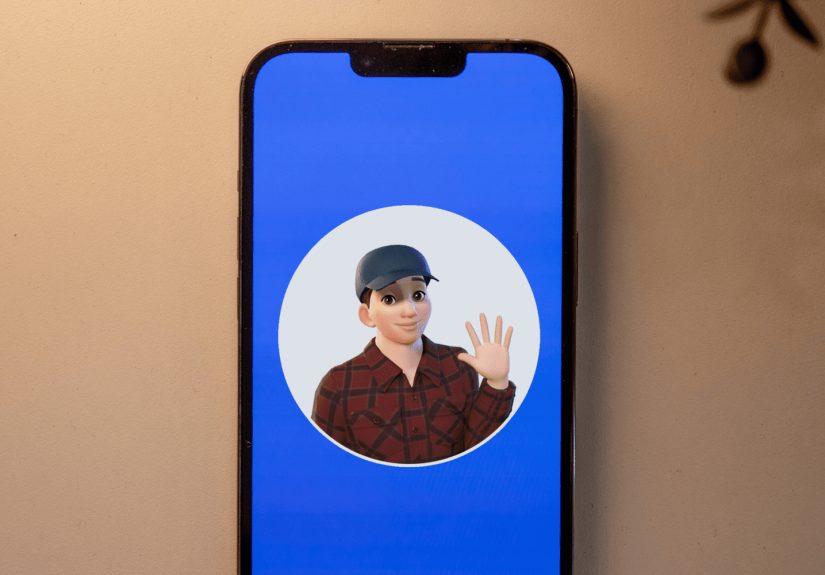
A Facebook Avatar is a customizable cartoon character connected to your Facebook account. Once you build it, Facebook turns it into a library of “avatar stickers” you can use like expressive reactionsespecially in comments and Messenger. Depending on your region, app version, and Meta’s latest updates, you may also see avatars appear in more places (like profile presentation options and certain messaging features).
Here’s what it’s not: it’s not a deepfake, not a filter you need to record with, and not a magical replacement for personality. It’s simply a flexible, low-pressure way to communicatelike sending a sticker that says “I’m here” without typing “I’m here” and sounding like a corporate email.
Before You Start: What You Need
Creating an Avatar is easiest on the Facebook mobile app (iPhone or Android). Many guides note Avatars are primarily created inside the app rather than on desktop, and some options only appear in certain places (like the comment composer or sticker panel) depending on your setup.
Quick checklist
- Facebook app updated (old versions can hide features).
- A stable login (make sure you’re signed into the right account).
- A few minutes of patience (the customization is fun… and surprisingly detailed).
One more reality check: Facebook sometimes rolls features out gradually. If your friend has Avatars and you don’t, it doesn’t mean you broke the internet. It usually means you’re in a different rollout bucket.
How to Create a Facebook Avatar in the Facebook App
The most common path starts from the app menu. The wording can vary slightly, but the flow is similar: open the menu, find Avatars, then customize your features and save.
Step-by-step (Menu > Avatars)
- Open the Facebook app on iPhone or Android.
- Tap the Menu icon (the three lines). On many phones, it’s in the lower-right (iOS) or upper-right (Android), though layouts can vary.
- Scroll and tap See More (if you don’t immediately see Avatars).
- Tap Avatars.
- Tap Next / Get Started.
- Choose how you want to begin:
- Create manually (you pick everything).
- Create from selfie (Facebook suggests features based on a photo, then you adjust).
- Customize your Avatar:
- Skin tone, face shape, complexion details (freckles, marks, wrinklesif you want them).
- Hair style and color, eyebrows, eyes, makeup options, glasses.
- Nose, mouth, facial hair.
- Body type and outfit.
- Save your Avatar when prompted.
Customization tip: don’t rush. Most builders have way more options than you see on the first screen, and some features are hidden behind additional tabs or scrolling. It’s easy to miss a “body” or “style” section if you’re speed-running like it’s a timed test.
What to aim for when customizing
- Recognizable: pick 2–3 signature features (hair, glasses, brows) that read as “you” instantly.
- Flexible: choose an outfit that works year-round unless you love seasonal rebrands.
- Expressive: a slightly brighter face/eye style often looks better in sticker form.
Can’t Find “Avatars” in Facebook? Try These Fast Fixes
If the Avatars option isn’t showing up where it “should,” don’t panic. It usually comes down to navigation, app version, or feature availability. Here are practical workarounds that commonly help.
1) Use Facebook Search to jump straight to it
- In the Facebook app, tap the Search icon.
- Search for avatar or avatars.
- Tap the result that looks like Facebook Avatars or Avatars.
2) Start from a comment box or Messenger composer
On some devices, Avatars show up inside the sticker picker. Open a comment field on a post (or open a Messenger chat), tap the smiley/sticker button, and look for a prompt like Make your Avatar or an Avatar tab/icon.
3) Update, restart, and re-check
- Update the Facebook app from your app store.
- Force-close the app and reopen it.
- Log out and back in if nothing changes (annoying, but sometimes effective).
4) Accept the rollout reality (and what you can do about it)
Sometimes the feature simply isn’t available to an account yet. If you’ve tried the steps above, your best moves are: keep the app updated, check again later, and try accessing Avatars from multiple entry points (Menu, Search, comments, and Messenger).
How to Edit Your Facebook Avatar Later
Your Avatar isn’t “set it and forget it.” You can change hairstyles, outfits, facial features, and more whenever you wantwhether you got new glasses, changed your hair, or just woke up and chose chaos.
Edit from Facebook
- Open the Facebook app.
- Go to Menu > Avatars.
- Tap Edit or the pencil/edit option.
- Adjust features, then Save.
Edit from Messenger (if you created or linked it there)
Many users also access Avatar settings through Messenger. If your avatar stickers are tied to Messenger features, look for an Avatar option inside Messenger settings and edit from there.
Pro tip: if your Avatar suddenly looks “off,” it’s often one small thing (eyebrow shape, face outline, or hair volume). Tiny tweaks can make the sticker version read more like youespecially because stickers simplify facial detail.
How to Use Your Facebook Avatar
Creating the Avatar is half the fun. Using it is where it earns its keeplike a tiny ambassador of your mood. Here are the most common (and surprisingly useful) ways to deploy it.
1) Use Avatar Stickers in Facebook Comments
Avatar stickers are often easiest to find in the comment composer. Once your Avatar exists, the sticker library typically includes reactions like waving, laughing, facepalming, cheering, and “I’m emotionally available but only through cartoons.”
- Open a post and tap Comment.
- Tap the smiley/sticker icon near the comment field.
- Select the Avatar tab/icon, then choose a sticker and post it.
Specific example: Instead of typing “Congrats!!!” under a friend’s announcement, you can use an Avatar sticker that celebrates. It’s quick, readable, and feels more personal than a generic 🎉.
2) Use Avatar Stickers in Messenger Chats
Messenger is where Avatars can shine because stickers are built for conversation flow. Once available, you’ll generally find Avatar stickers in the sticker panel of a chat.
- Open a Messenger conversation.
- Tap the sticker icon (often a square face) or the emoji/smiley button.
- Switch to the Avatar sticker set and pick your sticker.
Specific example: In a group chat, an Avatar sticker can replace three messages. One sticker that says “running late” (with your avatar sprinting) is more readable than “omg traffic sorry” followed by two more apology bubbles.
3) Add Your Avatar to a Facebook Post
Facebook sometimes offers an option to include your Avatar when you create a postoften under additional post options. If you don’t see it immediately, check the expanded “more” menu (three dots) while composing.
- Tap What’s on your mind? to start a post.
- Look for an option like Your avatar (you may need to open more options).
- Choose a pose/sticker style, then publish like normal.
4) Show Your Avatar on Your Profile (and/or use it as a profile look)
Depending on what Facebook shows in your version of the app, you may be able to display your avatar on your profile in a way that viewers can see when they visit yousometimes alongside your profile photo experience.
The exact steps vary, but commonly you’ll head to your profile, choose Edit profile, then enable an Avatar display option if it appears.
5) Use Avatars Across Meta’s Apps (When Available)
Meta has expanded Avatars across multiple platforms over time, including use cases that touch Facebook, Messenger, and Instagram experienceslike avatar stickers and more immersive features. Some accounts may also see newer options like using avatars in certain calling or messaging contexts.
Privacy-Smart Avatar Tips (So You Don’t Accidentally Overshare)
Your Avatar is meant to be fun, but it’s still a piece of your digital identity. Most people keep it recognizable without making it “a perfect biometric replica.” Here’s how to strike that balance.
Do this
- Pick signature features (hair, glasses, a go-to color palette).
- Choose a neutral outfit you’re comfortable being associated with.
- Keep it friendly: stickers are used in public comments; assume anyone can see them.
Maybe don’t do this
- Don’t add super-specific details you wouldn’t want in public (like a unique medical device) unless you’re intentionally representing it.
- Don’t chase “perfect realism.” Stickers work best when they’re readable and expressive, not microscopic.
- Don’t overthink ityour Avatar can evolve. (Unlike your 8th-grade haircut photos.)
Troubleshooting and FAQs
Why can’t I see Avatars in my Facebook menu?
Try search, comments, or Messenger entry points first. Update your app, restart it, and check again. If it still doesn’t appear, it may not be available to your account yet due to gradual rollout.
My Avatar stickers disappeared. What happened?
This is often caused by app updates, cache glitches, or toggled features. Try updating the app, force-closing it, and reopening. If you use both Facebook and Messenger, check stickers in each app to see where the set is currently surfacing.
Can I change my Avatar’s outfit whenever I want?
Usually, yes. Go back into the Avatar editor and adjust clothing and accessories, then save. Many people treat outfits like seasonal decorationsonly with fewer storage bins.
Can I delete my Avatar and start over?
In many setups, yesAvatar settings often include a delete option. If you’re not seeing it, you can still “start over” by editing heavily (new skin tone, hair, face shape, outfit) until it’s effectively a new character.
Does my Avatar work on Instagram too?
Sometimes, especially if your accounts are connected and your region/app version supports cross-app avatars. Availability varies, so treat it as a “nice bonus” rather than a guaranteed feature.
Conclusion
A Facebook Avatar is one of those rare internet features that’s both useful and harmlessly fun. You get a personalized sticker set that helps you reply faster, react more warmly, and add personality without writing a paragraph. Start from the Facebook app menu (or search/comment shortcuts), build your Avatar, and then use it where it makes sense: comments, Messenger chats, posts, and profile presentation options where available.
The best part? You’re not locked in. Update your look whenever you wantnew haircut, new vibe, new “I’m pretending I have my life together” outfit. Your Avatar can evolve right alongside you (and unlike your group chat, it won’t screenshot your typos).
Real-World Experiences With Facebook Avatars (The Stuff People Notice After They Make One)
Once people create a Facebook Avatar, the first experience is usually the same: a weirdly sincere moment of self-audit. You start with “this will take two minutes,” and suddenly you’re debating eyebrow angles like you’re casting a Broadway show. Many users report that the customization is more detailed than expectedespecially when you get into face shape, complexion details, and the subtle differences between “friendly smile” and “I just opened my front camera by accident.” The upside is that once you land on a few signature traits (hair, glasses, beard, or a signature color), the avatar starts to feel recognizable in sticker form.
The second common experience is that Avatar stickers change the “tone” of everyday interactions. A text comment can accidentally sound blunt, but an avatar sticker often reads as playful or supportive. People use them as quick social glue: cheering for a friend’s promotion, reacting to a family photo, or replying “same” without typing it (because typing “same” 37 times a week feels like a cry for help). In group chats, Avatar stickers become a kind of shorthandyour friends start recognizing which sticker means “I’m here but my brain is buffering” versus “I am fully present and definitely not eating cereal for dinner.”
Another interesting pattern: some users treat their Avatar like a “seasonal outfit.” They’ll update clothing for holidays, sports seasons, or just because they’re bored on a Tuesday. It’s the digital equivalent of changing your phone wallpapersmall effort, surprisingly satisfying. Others prefer a stable, consistent look so friends immediately recognize the sticker as “you.” Both approaches work; the best choice depends on whether you want your avatar to be a signature or a mood ring.
People also discover practical advantages: Avatar stickers can reduce awkwardness. For example, when you don’t know what to say under a serious post, a gentle, supportive sticker can communicate empathy without forcing you to perform the “perfect sentence.” And when you’re running late, a sticker can deliver the message quickly without sounding cold. Some users even find that Avatars lower the barrier to engagingespecially for shy commentersbecause dropping a sticker feels easier than writing a full response.
Of course, there are a few “learning moments.” Some people build an Avatar that’s too detailed or too realistic, then realize that stickers compress detailwhat looked great in the editor becomes less readable in a tiny comment box. The fix is usually simple: slightly higher contrast hair/face choices, clearer eyewear selection, and a cleaner outfit color. Others realize they overshared by making the avatar too identifiable, then dial it back (for example, choosing a more general outfit or removing hyper-specific details). The main takeaway from these experiences is that Avatars are meant to be adjustable: you can refine them over time as you see how they actually look and feel in conversation.
Finally, many users report the most surprising benefit: Avatars become a conversation starter. Friends ask, “How did you make yours look so accurate?” or “Where did you find that sticker?” and suddenly you’re swapping tips like it’s a tiny digital craft club. It’s low-pressure creativity that lives in the everyday places you already spend timecomments, chats, and quick reactions. And if nothing else, it gives you a socially acceptable reason to send a llama version of yourself to someone at 9:07 a.m. on a Monday.